LOKA HAHB remote control
EN
83
Installation and user manual
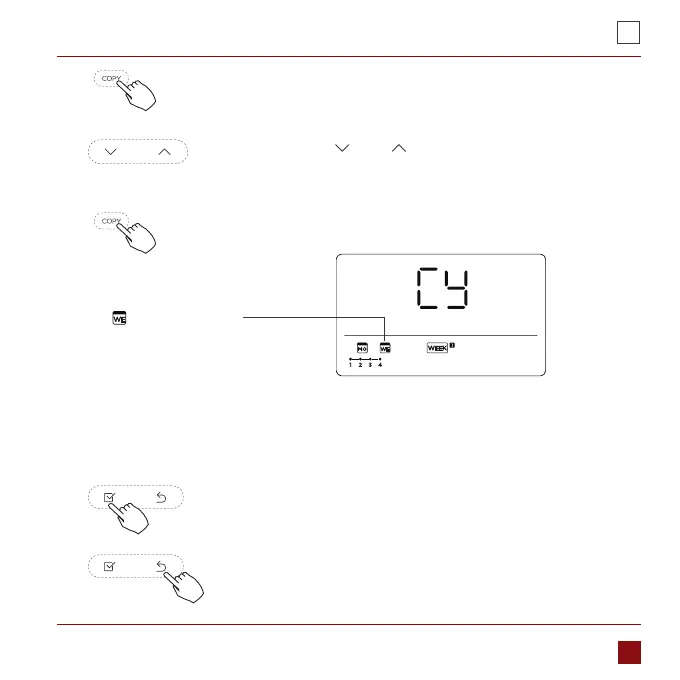
Press the Copy button,the letter “CY” will be shown on the LCD.3.
Press the button „ ” or „ ” to select the day to copy to.4.
Press the Copy button to conrm .5.
The mark ashes quickly
ex. Copy the setting of Monday to Wednesday
Other days can be copied by repeating step 4 and 5.6.
Press the Conrm button to conrm the settings.7.
Press the Back button to back to the weekly timer.8.



 To Next Page