ENGLISH
13
the “ ” key. To delete the image press the “MENU/ ” key when yes is
selected.
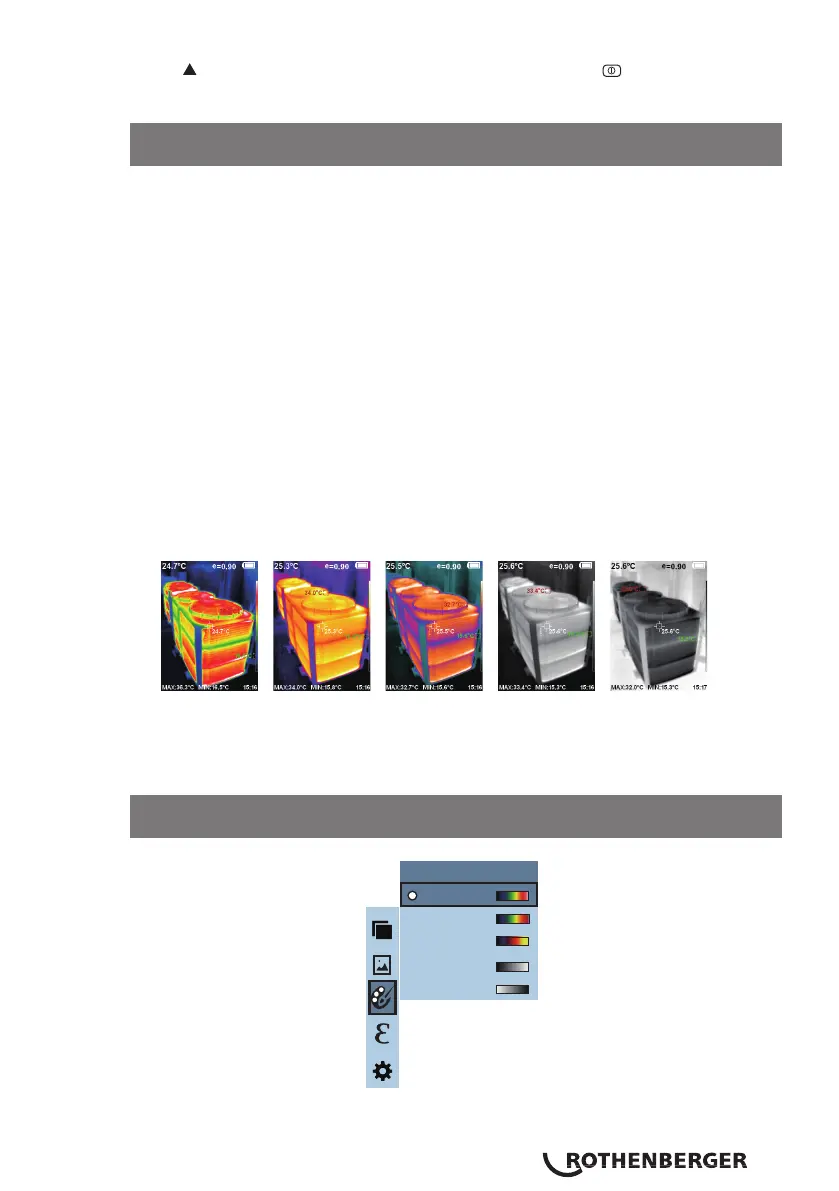
The palette can be used to change the pseudo-colour display of the infrared
image on the display. Some tune swatches are better suited for specific
applications & can be set up as needed.
The palette is divided into five colour sections: rainbow, iron red, cool, white
hot & black hot. These palettes work best with high thermal contrast &
provide additional colour contrast between high & low temperatures.
For high heat applications the rainbow, iron oxide red & cold colour palettes
are better suited as they are easy to see the contrast between high & low
temperature.
Black & white, and white & black colour palettes provide even linear colour.
The following is an image of the same object with different colour palettes.
11.5 Colour palatte sub menu - description
11.6 Application of colour palatte
Rainbow Iron oxide
red
Cold colour White heat Black heat
Spectra
Iron
Cool
White
Black
Color palette



 To Next Page