ENGLISH
15
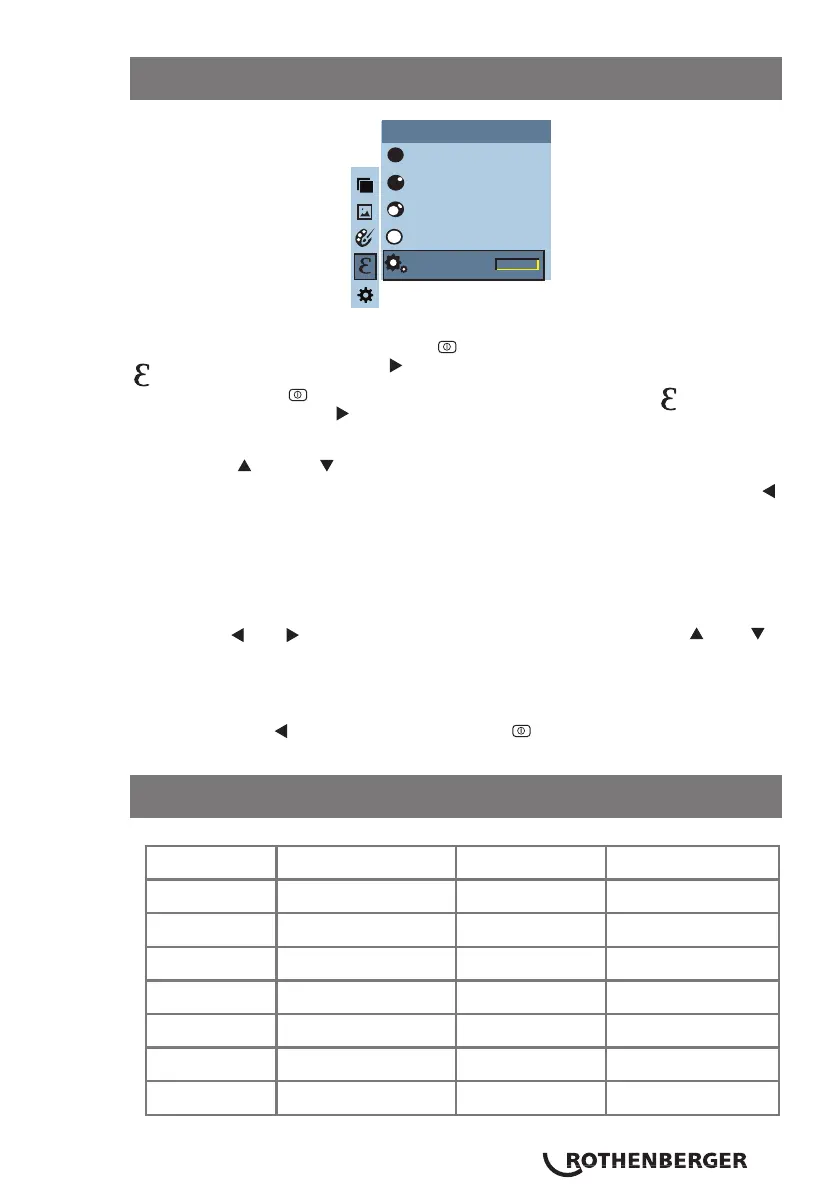
As shown in the figure, press “MENU/ ” key to enter the main menu & select “
”(emissivity) option & press “ ” key to enter the emissivity list.
Press the “MENU/ ” key to enter the main menu & select “ ”(emissivity)
option then press the “ ” key to enter the emissivity list.
Press the “ ” & “ ” keys to navigate the emissivity. Then press the
“SELECT/ENTER” key to determine selection of the emissivity. Press the “
” key to return.
If you select “self-defined” emissivity, press the “SELECT/ENTER” key to enter
the editing state.
Press the “ ”/“ ” keys to change the number & press the “ ”/ “ ”
keys to change the value.
After the modification is complete, press the “SELECT/ENTER” key to confirm,
then press the “ ” to return. The “MENU/ ” button exits the menu.
11.9 Application of emissivity mesurement
11.10 Emissivity value of common materials
Matt (e=0.95)
Emissivity
Semi-matt (e=0.85)
Semi-glossy (e=0.60)
Glossy (e=0.30)
Custom
0.01
Substance Thermal radiation Substance Thermal radiation
Bitumen 0.90~0.98 Black cloth 0.98
Concrete 0.94 Human skin 0.98
Cement 0.96 Foam 0.75~0.80
Sand 0.90 Charcoal dust 0.96
Earth 0.92~0.96 Paint 0.80~0.95
Water 0.92~0.96 Matte paint 0.97
Ice 0.96~0.98 Black rubber 0.94



 To Next Page