16
ENGLISH
Snow 0.83 Plastic 0.85~0.95
Glass 0.90~0.95 Timber 0.90
Ceramics 0.90~0.94 Paper 0.70~0.94
Marble
0.94 Chromium
hemitrioxide
0.81
Gypsum 0.80~0.90 Copper oxide 0.78
Mortar 0.89~0.91 Ferric oxide 0.78~0.82
Brick 0.93~0.96 Textile 0.90
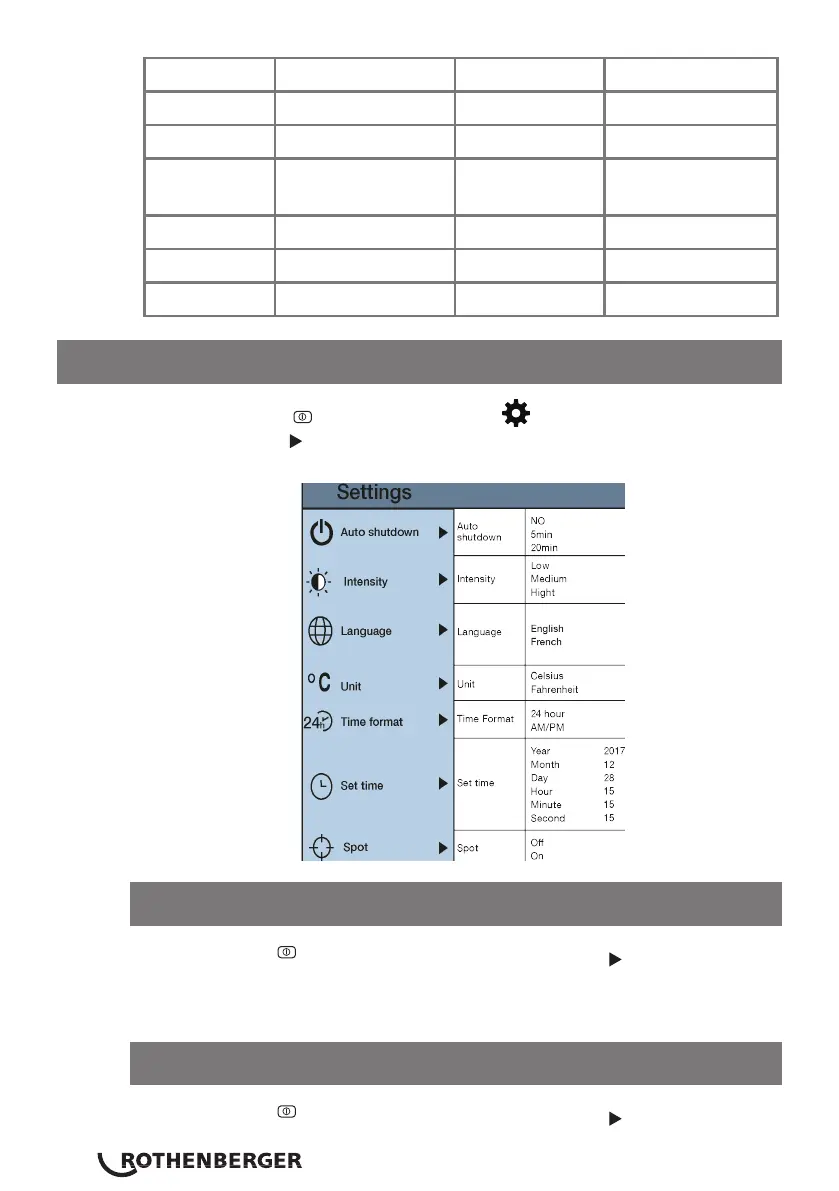
12 Settings
Press the “MENU/ ” key to select the “ ”(setting) option in the main
menu. Press the “ ” key again to enter the settings sub-menu.
After selecting “ ” automatic shutdown, press the “ ” key to enter the
auto power shutdown setting. Can be set how long you want it to be before
the Thermal Imaging Camera automatically shuts down.
After selecting “ ” automatic shutdown, press the “ ” key to enter the
12.1 Auto shutdown setting
12.2 Intensity setting



 To Next Page