18
Master Station Safe Use, Installation and Maintenance Manual
6. Basic Commissioning continued
Host Communication Settings
The Master Station includes Ethernet host communication as standard or Serial host communication with the optional Host Serial AIM.
Some communication settings are common to Ethernet and Serial.
Common settings:
These settings apply to Ethernet and Serial host communication.
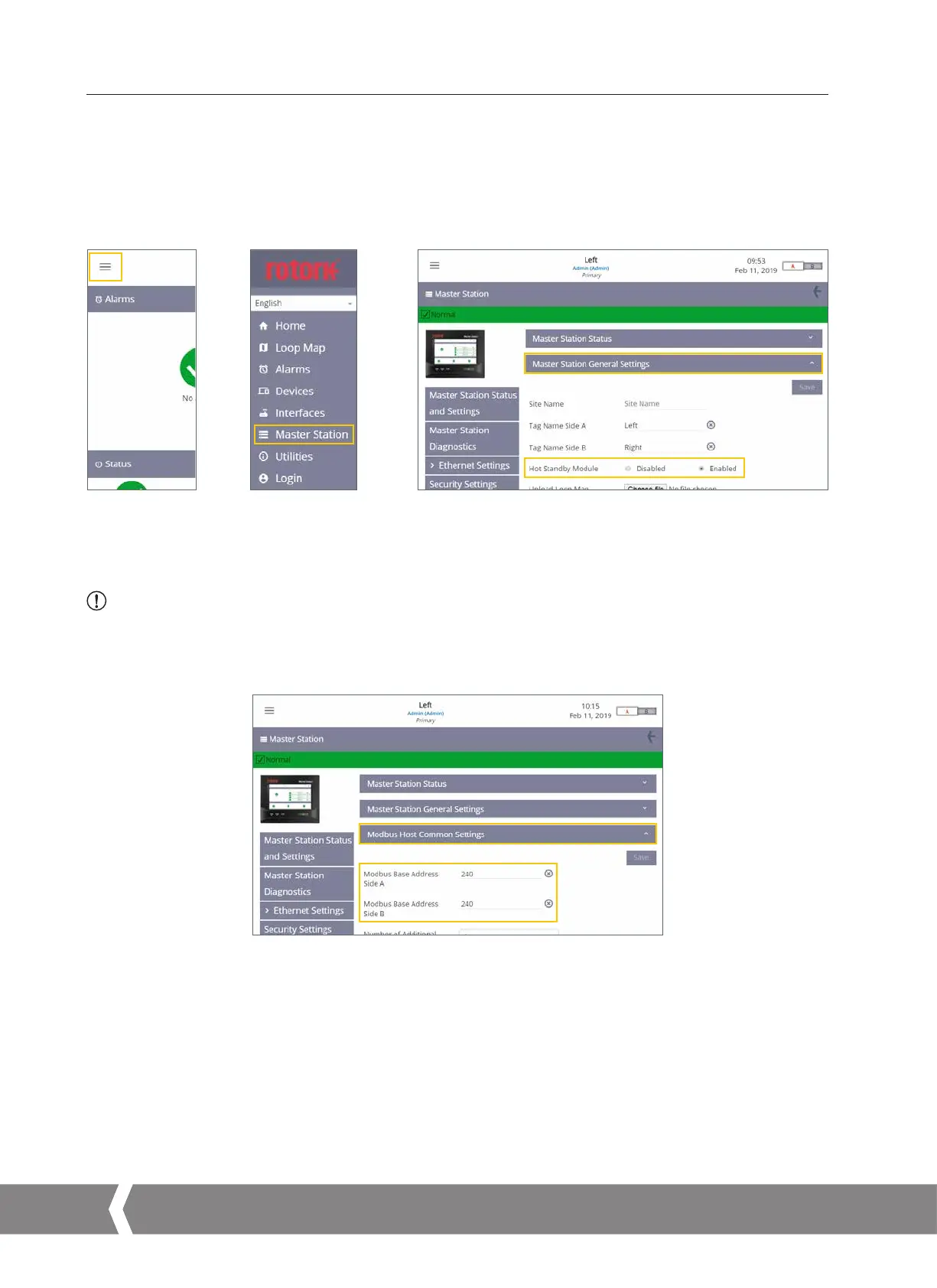
Fig. 6.4 Select menu Fig. 6.5 Select Master Station Fig. 6.6 Select Master Station General Settings
Master Station General Settings tab: Hot Standby Module should be set to Disabled for a single or dual Master Station and Enabled for
a hot standby Master Station. Check this setting on both sides of a dual or hot standby Master Station.
CAUTION: The Hot Standby Module setting must be correctly configured to avoid potential damage to the Master
Station or connected FCUs on a Pakscan Classic field network loop. The hot standby Y loom must never be
used when Hot Standby Module is set to Disabled.
Fig. 6.7
Modbus Host Common Settings
Modbus Host Common Settings tab: Modbus Base Address Side A and Modbus Base Address Side B define the communication address
to side A and side B. These must be different for a dual Master Station. A hot standby Master Station is normally configured for the same
Modbus address on both sides but this is not mandatory.
A4US
US
A4
US A4
US
A4



 To Next Page