17
6. Basic Commissioning
This section is intended to get the user started with a Master Station, for more detailed information about the Master Station and how to
fully commission field networks please refer to the Master Station Full Configuration Manual (PUB059-052). Red text refers to a setting or
menu within the Master Station interface.
Settings can only be changed on the primary side of a Hot Standby Master Station.
Administrator level access is required for commissioning.
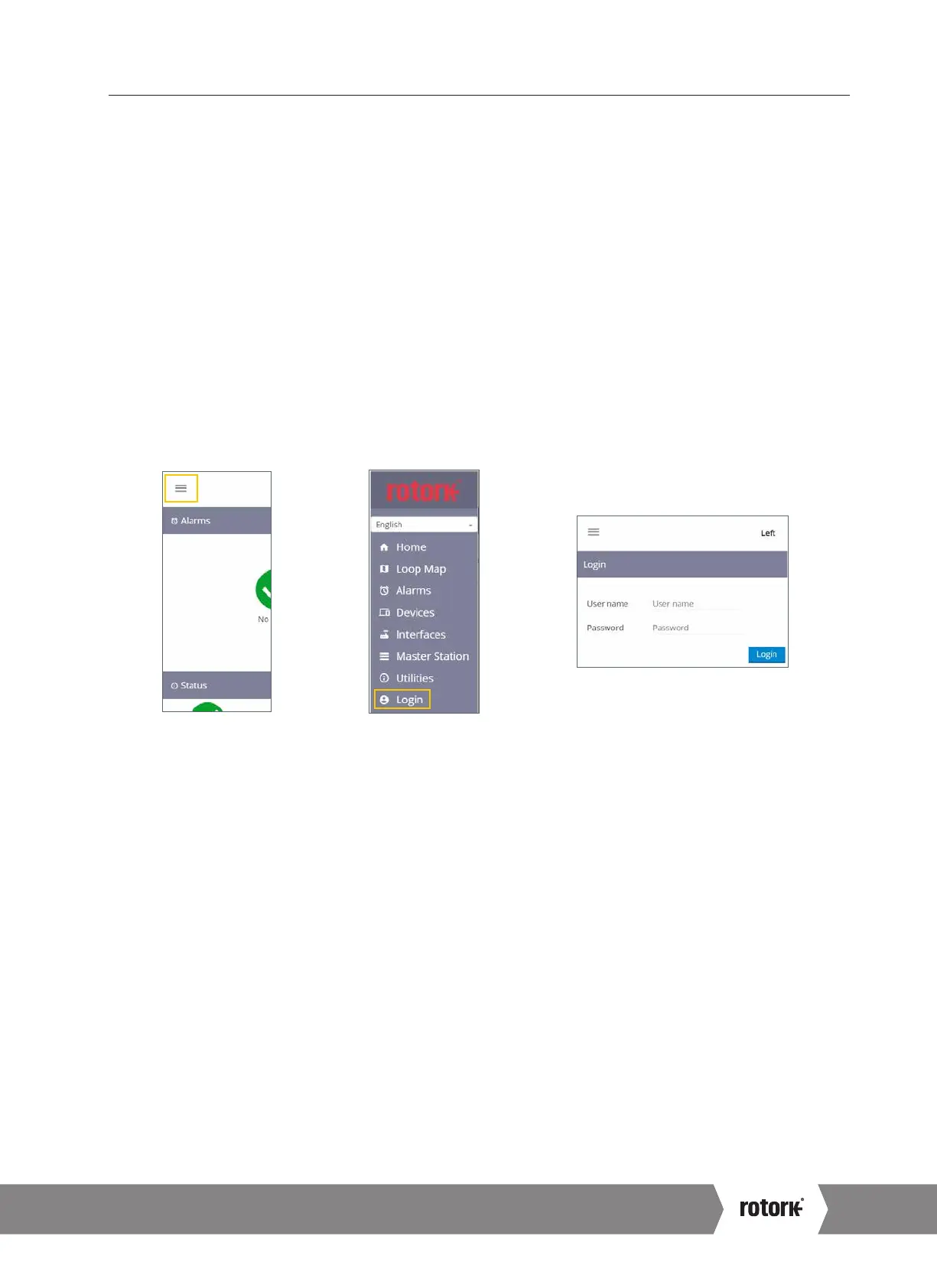
Login Process
The user name and password for the Master Station can be found on the test certificate, delivered with the Master Station. Contact
your local Rotork representative to arrange a replacement if the test certificate is not present. Master Station is provided with only an
Administrator account from the factory.
The Administrator user name and password should be changed as soon as possible to improve security.
The Master Station on screen keyboard does not include a full set of characters. It is advisable to change the password on
screen instead of through a web browser to ensure the password is compatible. Refer to PUB059-052 for details of the on
screen keyboard.
Viewer permits read only access.
User permits limited editing access.
Administrator permits full editing access and creation of additional viewer, user and administrator accounts.
Fig. 6.1 Select menu Fig. 6.2 Select Login Fig. 6.3 Enter Administrator login credentials
Connecting to Ethernet Service Port
The Master Station can be directly connected to a Laptop/PC via the Ethernet Service port. In order to establish a connection to the Master
Station it is likely the laptop/PC internet connection settings will have to be adjusted to a fixed IP address arrangement. To set a static IP
address for your device, follow appropriate online instructions for the operating system of the Laptop/PC. To connect to a Master Station
with default settings, configure the static IP address to the values below.
Laptop/PC IP address = 10.201.1.3
Laptop/PC subnet mask = 255.255.255.0
It may be necessary to restart the Laptop/PC to apply the new internet settings.
The default IP address of the Master Station service port is 10.201.1.1. Enter this IP address into the web browser of the connected Laptop/
PC to open the home page of the Master Station.
If the IP address of the Master Station has been changed, this can be viewed via the touch screen interface in the Master Station settings.
The Laptop/PC must be configured within the same IP range and subnet mask to communicate.
The Master Station service port must be on a different Class C network to the Ethernet 1 and Ethernet 2 ports.
A4 US
US
A4
US
A4
A4 US



 To Next Page