6
Master Station Safe Use, Installation and Maintenance Manual
2. Know your Rotork Master Station
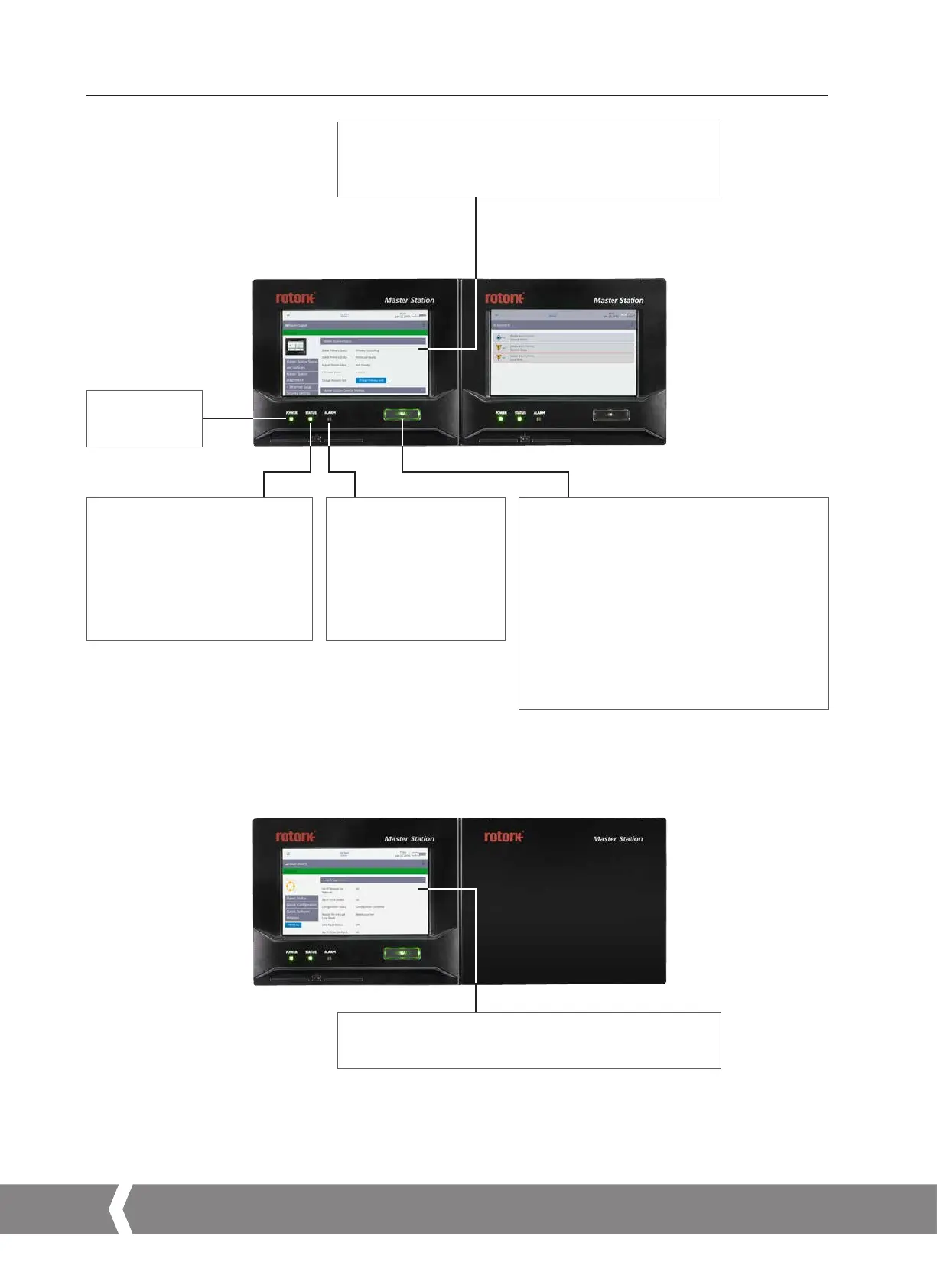
Alarm LED
Green: no alarms are present
on the system.
Red: any alarm condition
in any FCU or the Master
Station. This alarm does not
prevent operation of the
Master Station.
Status LED
Flashing Green: power upsequence.
Solid Green: indicates all applications
are running correctly after a power up.
Red: Ethernet host communications
lost or communication error between
Master Station and a FCU.
Hot Standby and Dual
Rotork Master Station
Single
Rotork Master Station
Primary button
Hot Standby
In hot standby configuration, the primary button
can be used to set that side of the Master Station as
the controlling hardware. The active controlling side
of the Master Station can easily be identified by an
illuminated button. The non-controlling side will not
be illuminated.
Single and Dual
In single and dual Master Station configuration, the
primary button has no function, but the backlight
will remain illuminated to show the units are actively
controlling.
Power LED
Green: power on,
off: power off
Touch screen display
Hot Standby and Dual
Each side of a hot standby or dual Master Station has a display
module to interface with that side of the Master Station.
Single
A single Master Station has one display module for the left side.
The right side is blanked off.
A4US
US
A4
US A4
US
A4



 To Next Page