OPC90 Server
“MY_DOMAIN\OPC90”. Use the actual domain or workgroup computer name
and user account name for the specific system OPC90 has been installed.
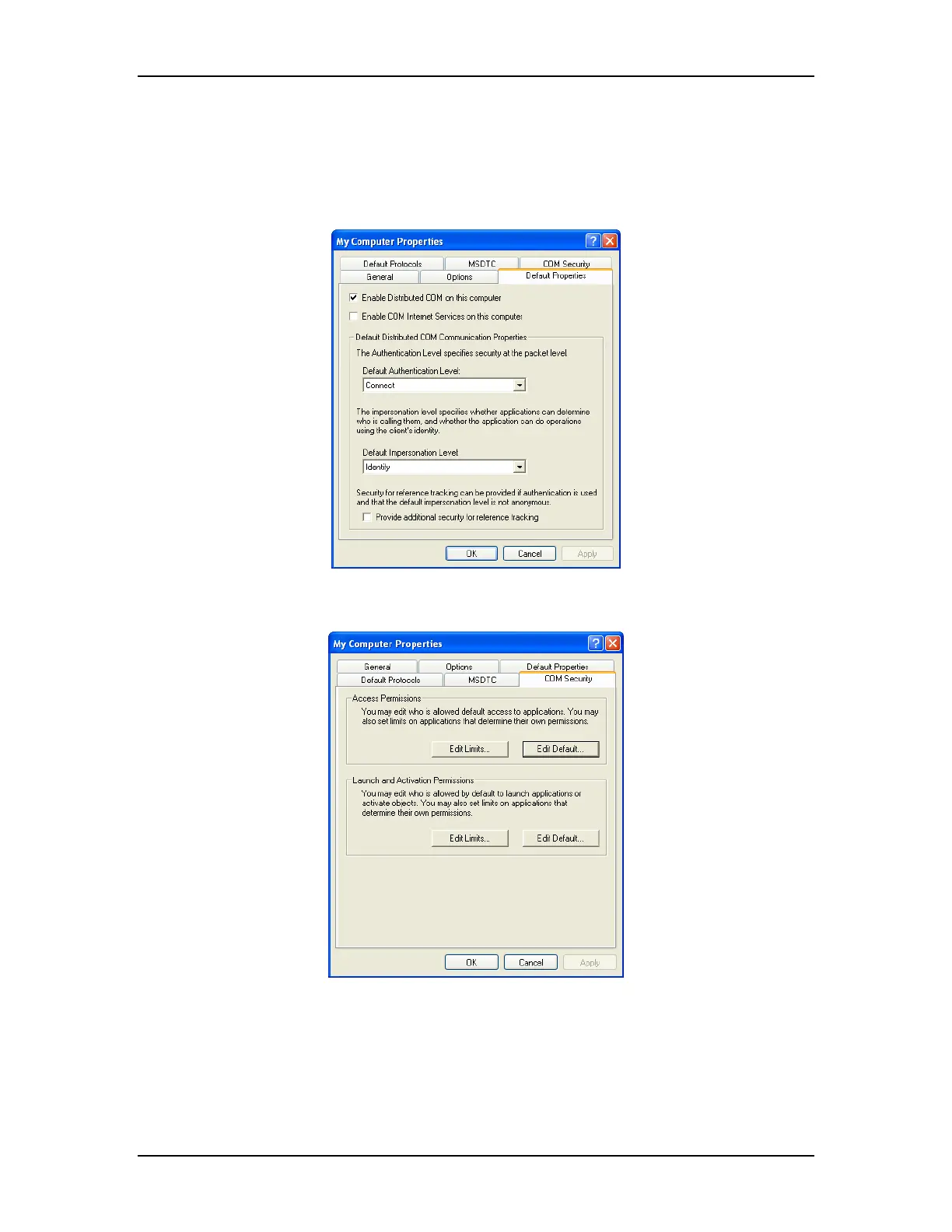
Next select the DCOM properties of “My Computer” and set the following default
properties:
Select the COM Security tab shown as follows:
Click on “Edit Default” for both the Access Permissions and Launch and
Activation Permissions and add the following list of users. Make sure “allow
access” for both local and remote is enabled for all of these users. For Windows
XP SP2 and Windows 2003, also check Edit Limits options for both the Access
Permissions and Launch and Activation Permissions and make sure that these
accounts are also added.
The RoviSys Company Version 7.0 Page 129



 To Next Page