OPC90 Server
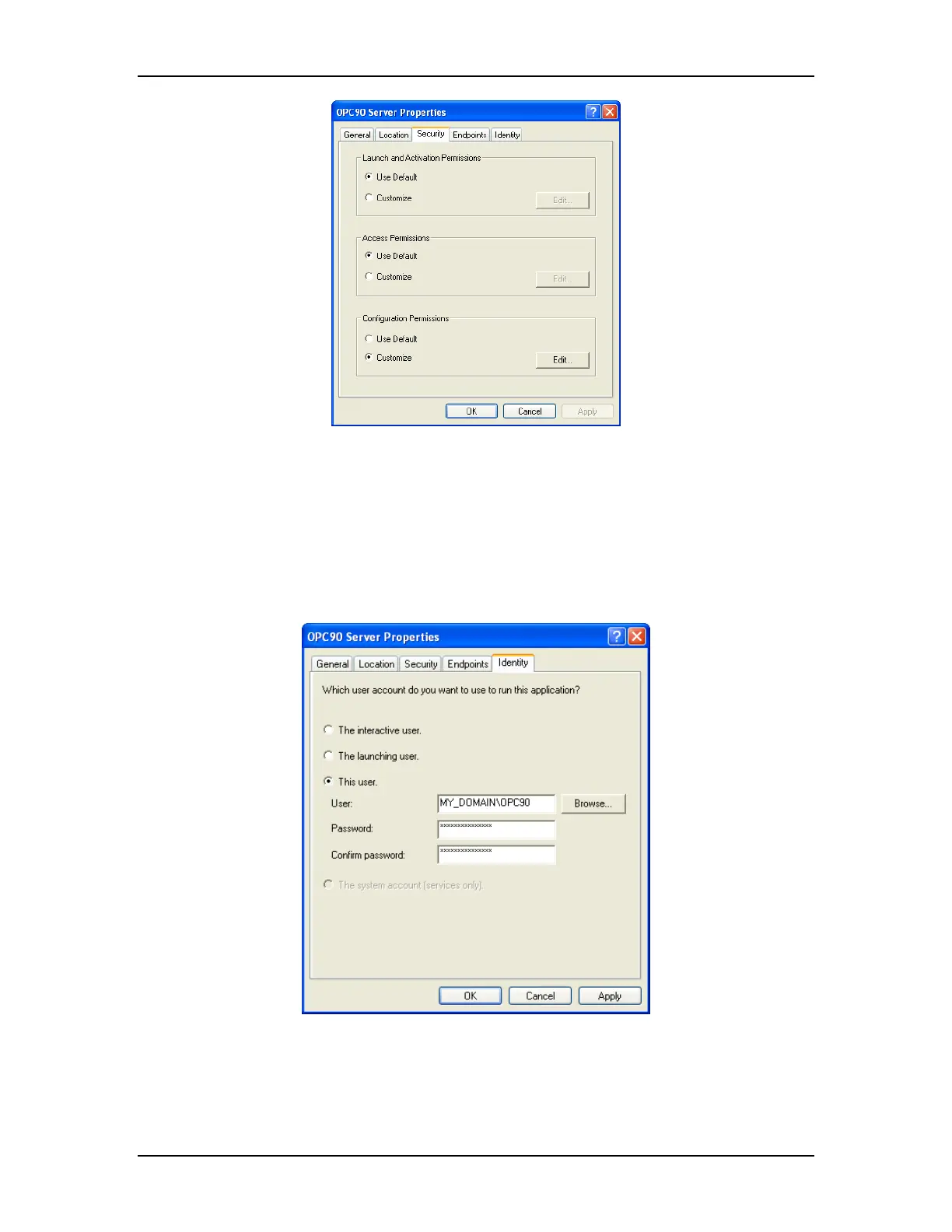
Make the following selections:
• Use default access permissions,
• Use default launch permissions,
• Use customized configuration permissions
Click on the Identity tab and the following dialog will appear:
Select this user and type in the account information that will be used to run the
OPC90 application. The account information must include the domain controller
computer name (or local PC name for workgroup based systems), backslash
character and user account that will be used to run OPC90. This example shows
The RoviSys Company Version 7.0 Page 128



 To Next Page