Alpha 583cx User’s Guide 13
Using the Keyboard
Using the Keyboard
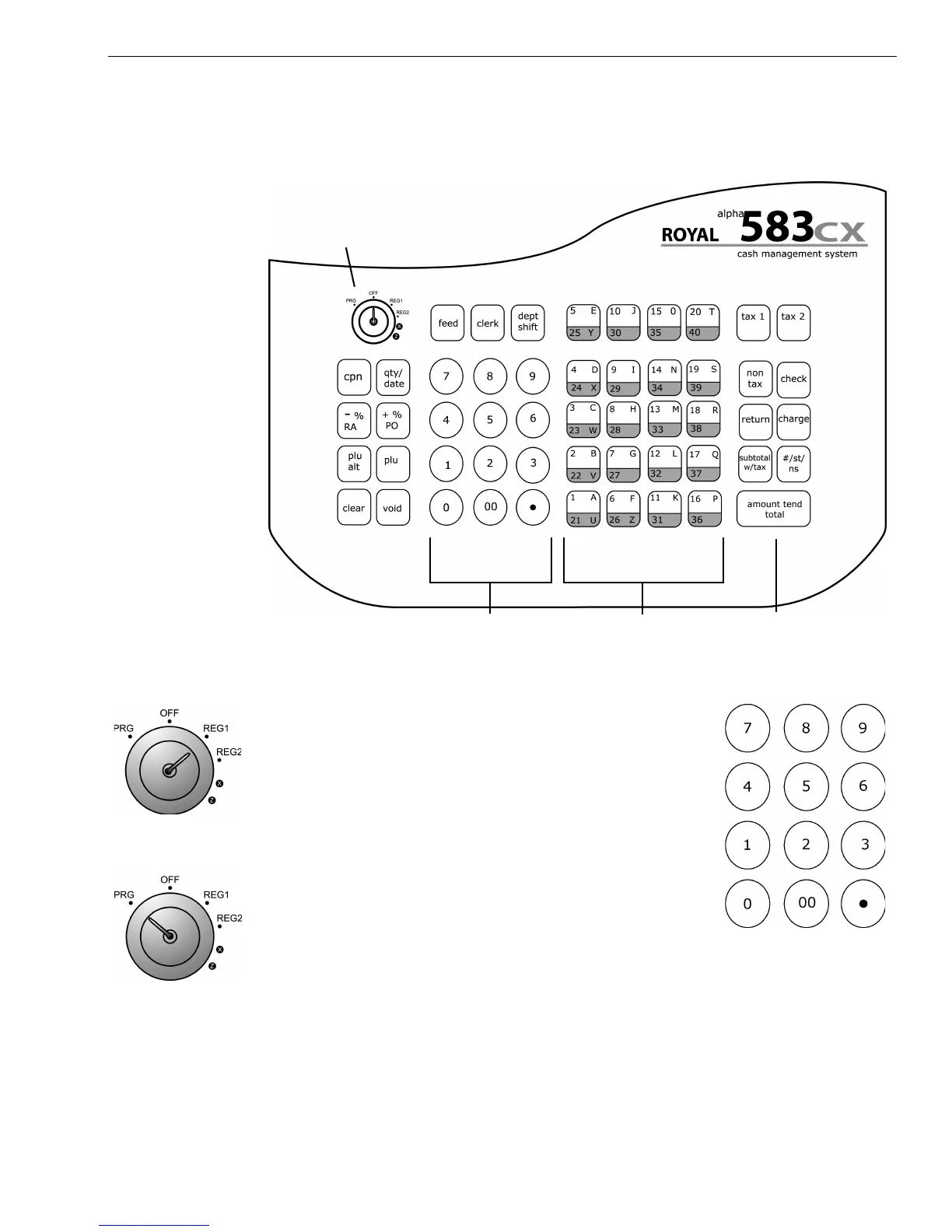
The keyboard on your cash register looks like the following:
To use the keyboard, do the following:
• To use the cash register, put the key marked
REG in the Mode key hole and turn to Reg1 or
Reg 2. Now you can press the round Number
keys and Department keys to ring up a sale. For
more information about ringing up sales, see
Ringing up Sales and Using Training Mode on
page 62.
• To program the cash register, put the key marked
PRG in the Mode key slot and turn to PRG. For
more information about programming the cash
register, see Setting Up Your Cash Register - the
Basics on page 16 and Setting Up Your Cash Register - Advanced on
page 33.
Round number keys
Mode key area
Total key
opens cash drawer
Department keys and
letters for programming



 To Next Page