Chapter 8: Running Reports
78 Alpha 583cx User’s Guide
discount (COUPON), minus percentage discount (DISCOUNT),
return/refund (REFUND), and void (VOID/CORR).
Note
The Percentage Discount [-%] must be done after each item, not on the
subtotal amount, for the formula given above to balance as shown.
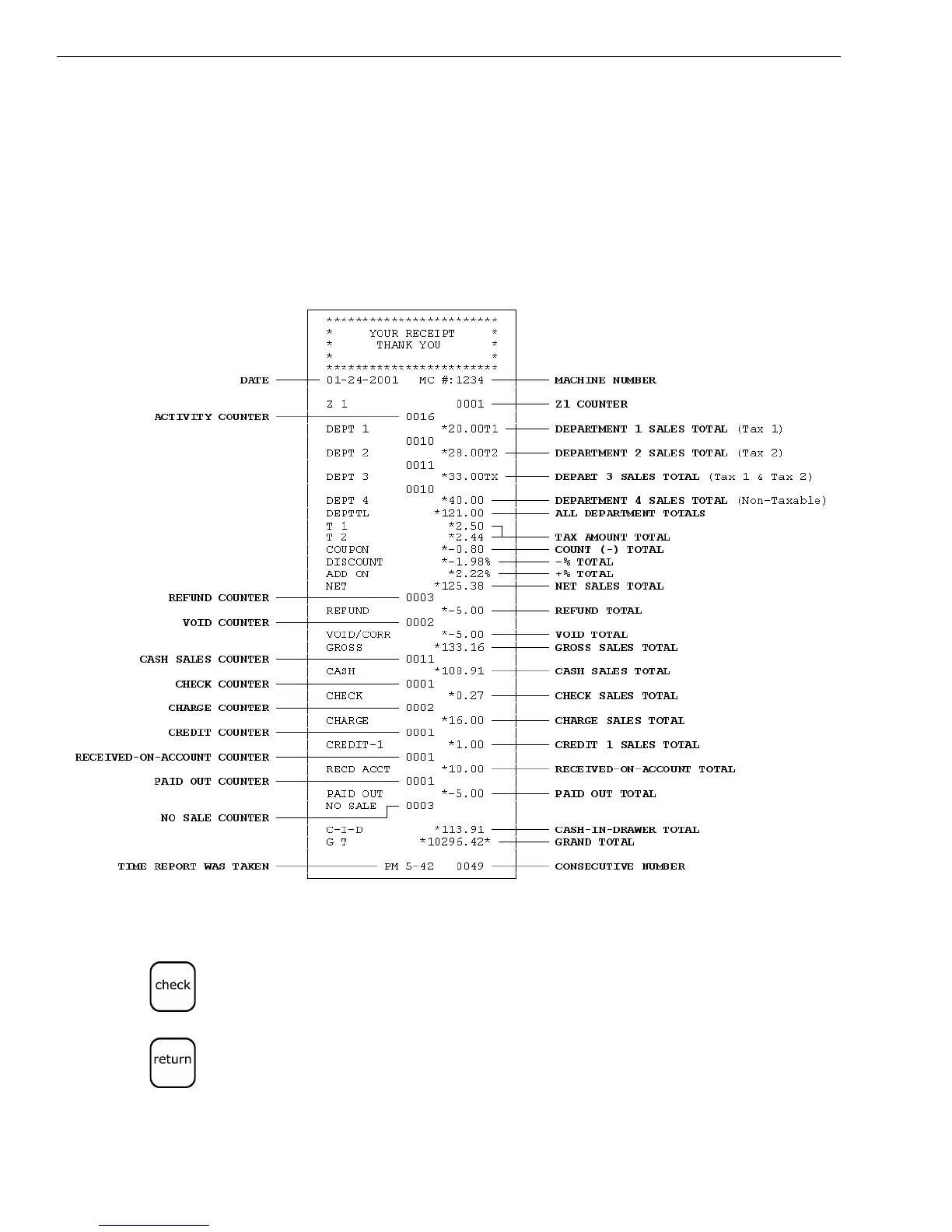
The Financial report looks like the following. Your specific report looks
different, because of your unique cash register activity.
To reset the Z1 counter
1 Put the PRG key in the Mode key slot and turn it to the PRG position.
2 If you are prompted for a Manager Password, type the password number
and then press the Check key. If you did not program a Manager
Password, go to the next step.
3 In the round Number keys area, press 1 and then press the Z1 Counter
starting number as 4 digits (for example 0001) and then press the
Return key.



 To Next Page