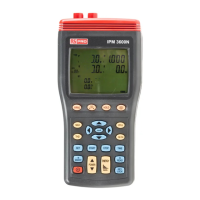
3 Phase Power Analyser / EN
09/30/16 Version No. 00 30
5-8 Manual Data Memory and Read Function Operation
1. Clear memory data :
Press
key to turn off the instrument.
Press and hold down the “MEMORY” key then press
key again to turn on the
instrument, and to enter clear manual memory data mode, the “DATA M CLr 1 YES no”
mark is displayed.
Press ⊳ or key to select “YES” or “no” then press “
↵
” key to confirm.
If select “YES”, the all manual memorized data is cleared.
2. Store individual measurement data to memory :
Press “MEMORY” key once to store one set of displayed data to memory, the “M” symbol
displays once and the stored memory address will be displayed.
Maximum store memory capacity size is 50 sets.
3. Read the manually stored data :
Press “READ” key to enter the read mode, the “R” symbol is displayed.
Press and keys to read the stored data, the data address will be displayed.
Press “READ” key to exit the read mode.
5-9 Auto Data logging Function Operation
1. Clear SD Card memory data:
Press
key to turn off the meter.
Press and hold down the “MEMORY” key then press
key again to turn on the meter
and to enter clear manual memory data mode, the “DATA M CLr 1 YES no” mark is
displayed.
Press ↵ key to enter clear SD Card memory data mode, the “DATA M CLr 2 YES no” mark
is displayed.
Press ⊳ or key to select “YES” or “no” then press “
↵
” key to confirm.
If select “YES”, the all SD Card memorized data is cleared.
2. Store Auto data logging data to memory:
Setting the current time and Auto data logging interval time:
Press “SET” key to enter current time setting mode.
Press , , ⊳ and keys to set the current YEAR-month, DAY-hour and minute-seconds.
Press “
↵
” key to enter auto data logging interval time setting, the “INTV” symbol is
displayed.
Press and keys to select either 5 seconds, 30 seconds, 1 minute or 2 minute interval
time.
Press “
↵
” key to exit TIME setting mode.
3. Enter Auto data logging mode.
Press “START” key to start Auto data logging, “DATA M
xx” will be displayed, the “ M ”
symbol, will display each time one set of data is stored into the memory.


 To Next Page