VW2106 Vibrating Wire Readout Manual
• Selection 1 will exit the current screen.
• Selection 2 will zero the readout.
• Selection 3 will delete the current zeroing value.
• Selection 4 will toggle between zeroing enabled/disabled.
NOTE: “ENABLE/DISABLE” WILL SAVE THE ZERO OFFSET, SO IT CAN BE RE-APPLIED
AT A LATER TIME. WHEN ZEROING IS ENABLED FOR A GIVEN LOCATION,
‘TARE’ WILL APPEAR IN THE READINGS SCREEN TO CONFIRM A READING IS
BEING TAKEN WITH AN APPLIED ZERO OFFSET.
4.7 DELETING DATA
All location information can be deleted from the readout or through the RST Readout
Host Software. The following instructions detail the process for deleting data in the
readout.
1. Press any key to power on the display.
2. Scroll to the Memory screen using the up/down arrows and press Enter.
3. Scroll to Delete using the up/down arrows and press Enter.
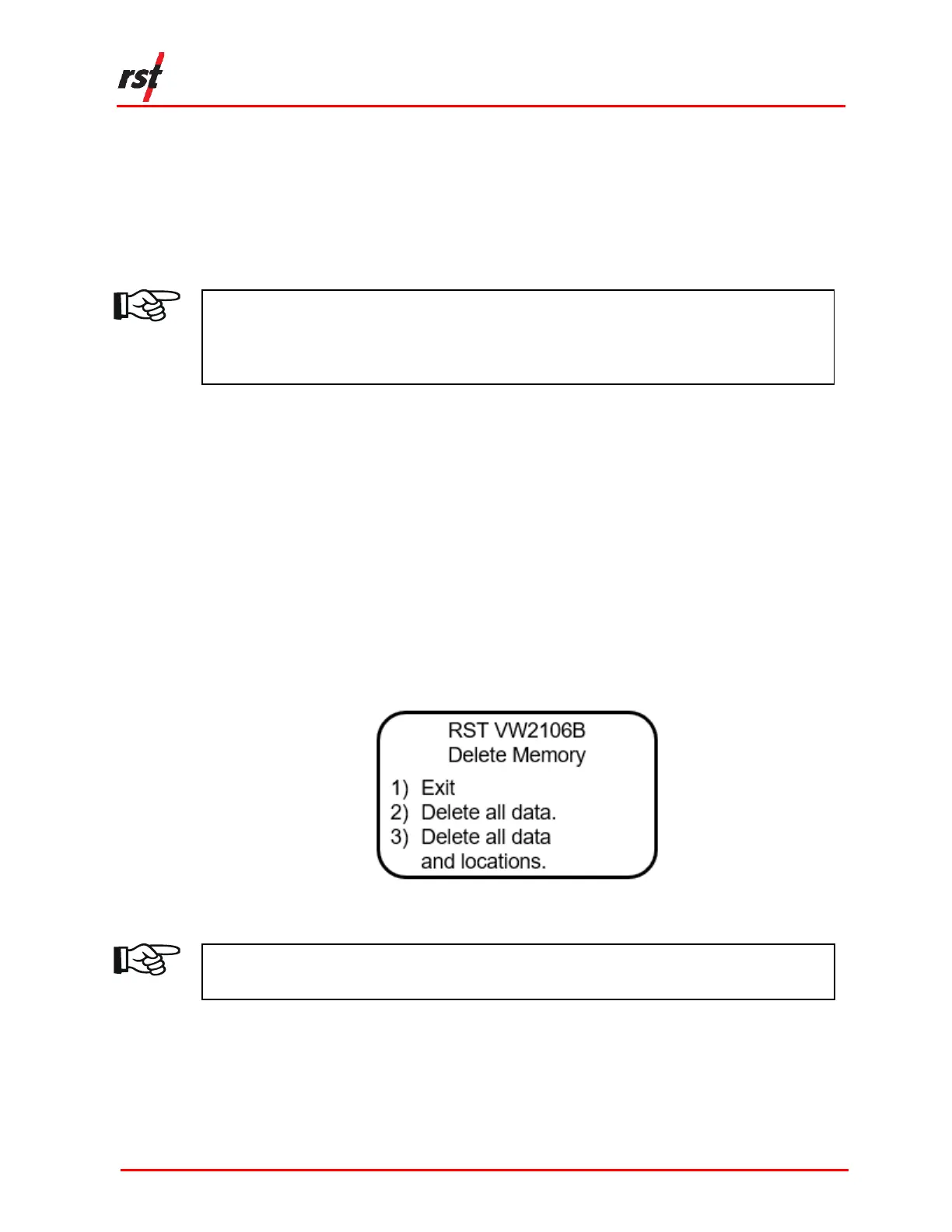
4. Scroll to the desired delete option (Figure 4-9) using the up/down arrows and
press Enter.
FIGURE 4-9 DELETE OPTIONS
NOTE: ESC CAN BE PRESSED AT ANY TIME TO ABORT THE DATA DELETION
PROCESS.


 To Next Page