VW2106 Vibrating Wire Readout Manual
1. Turn on the readout by pressing any key.
2. Using the up/down arrow keys, scroll to the Battery Voltage screen.
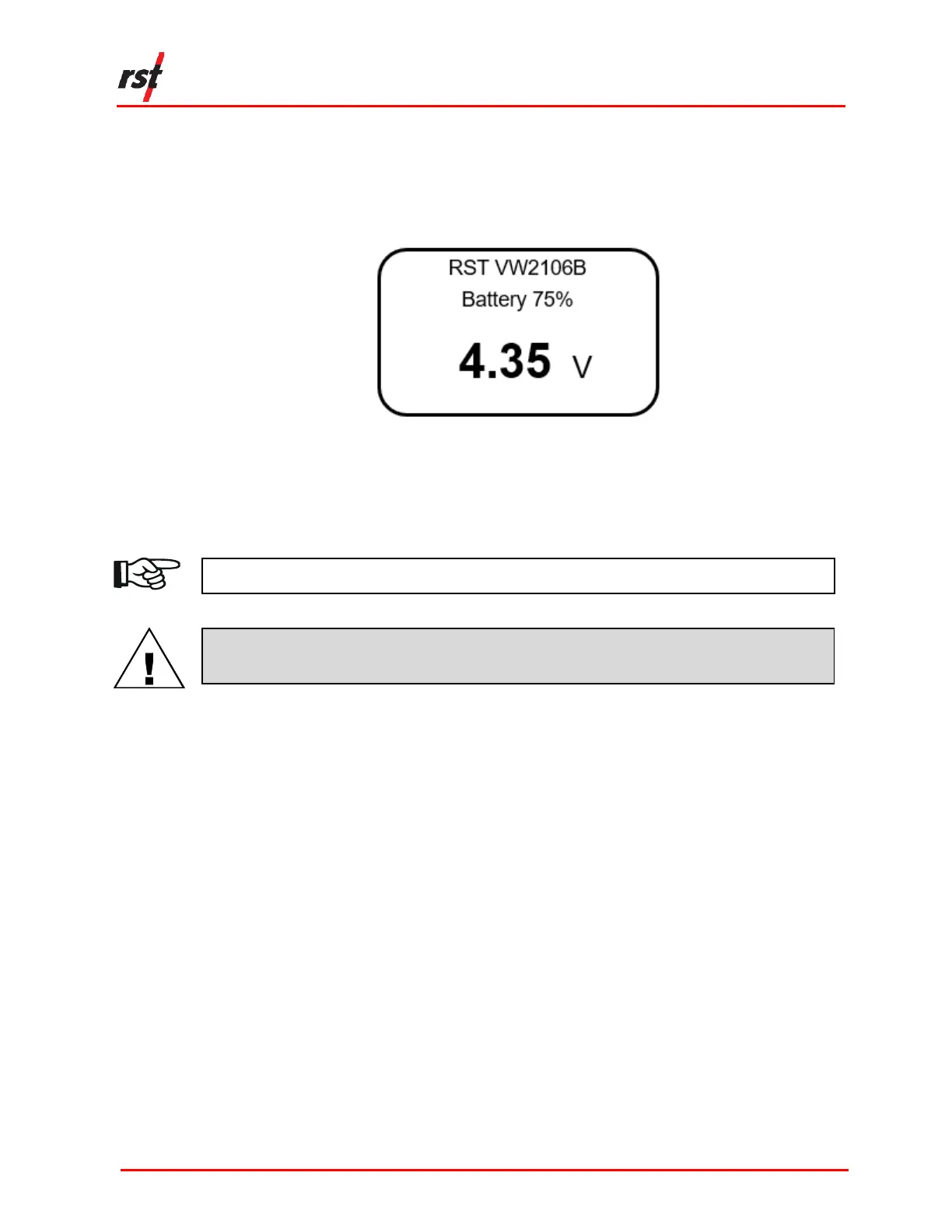
3. The readout will display the current battery status, as illustrated in Figure 5-3.
FIGURE 5-3 BATTERY VOLTAGE SCREEN
When the battery level is low (i.e. the battery voltage drops below 3.5 volts), “BATT”
will appear on the upper right corner of every screen. All 3 batteries should be
changed once this warning appears.
NOTE: REPLACE ALL 3 BATTERIES WHEN THE “BATT” WARNING APPEARS.
CAUTION: DO NOT REPLACE BATTERIES IN WET CONDITIONS TO PREVENT WATER
INGRESS.
5.3 PROTECTING THE DEVICE
There are a number of steps that can be taken to protect the integrity of the unit:
• Ensure wires and terminals are free from dirt before inserting wires into the
terminals.
• For older model VW2106 readouts, check that the latches on the terminal block
are closed prior to closing the lid of the enclosure.
• It is important to keep the weather seal free from dust and dirt to maintain the
water ingress protection.
• Make sure the weather caps are secured before closing the lid of the enclosure.
• Ensure the unit is dry before storing it to avoid damage from standing water.


 To Next Page