32
Configuring the Access Point
Configuring for Standalone Operation or for Management by FlexMaster
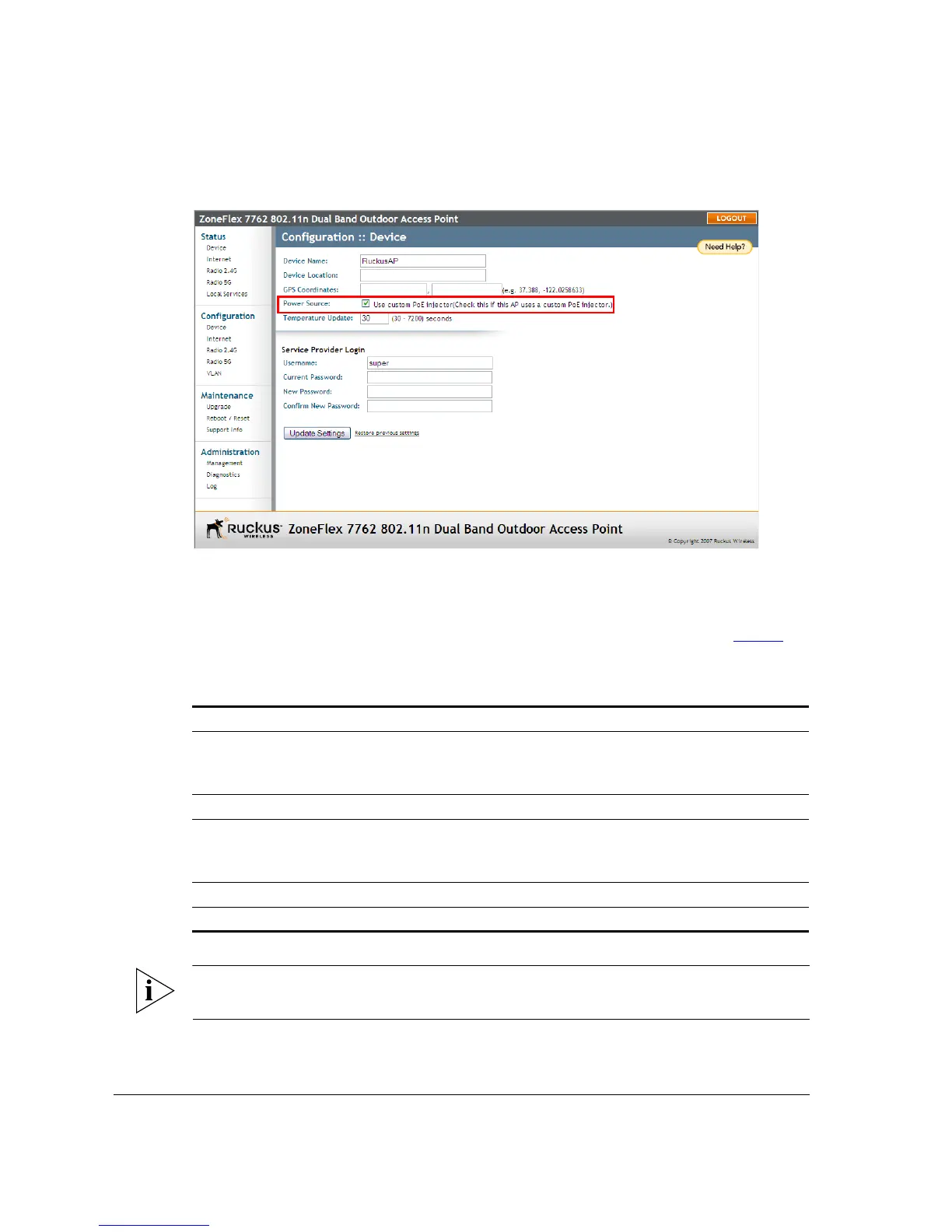
Figure 26. Select the Use custom PoE injector check box
In addition to the supplied Ruckus Wireless PoE injector for ZoneFlex 7762 AP, you can
also use DC power or a standard 802.3af/802.3at PoE injector to supply power to the AP.
Note, however, that some features (specifically, the built-in heater and PoE for the PoE
OUT port) will be unavailable if the supplied PoE injector is not used. Refer to Tabl e 5
for
the available power options and the limitations associated with each option.
NOTE: If the built-in heater is disabled, the lowest operating temperature that the Access
Point can support is -20° C.
Table 5. Power configuration options
Power Input Operational AP Heater PoE for PoE OUT
Ruckus Wireless PoE injector
for ZoneFlex 7762 AP (with
supplied power adapter)
Yes Yes Yes
48V 802.3at Yes Yes No
48V 802.3at Yes Yes Class of power
supplied with
restrictions
48V 802.3af Yes No No
12V DC Yes No No












 To Next Page