43
Attaching the Mounting Brackets
Step 1: Attach the Static Bracket to the Mounting Surface
Attaching the Bracket to a Flat Surface
WARNING: Ruckus Wireless strongly recommends that you wear eye protection before
drilling holes on the mounting surface.
NOTE: The wall anchors that are supplied with the Access Point are for mounting on solid
masonry walls only. If you are mounting the Access Point on other materials (for example,
drywall, wood, or hollow cinder block), you will need the appropriate types of wall anchors.
Check your local hardware store for options.
1. Place the static bracket at the exact location on the mounting surface where you want
to mount it.
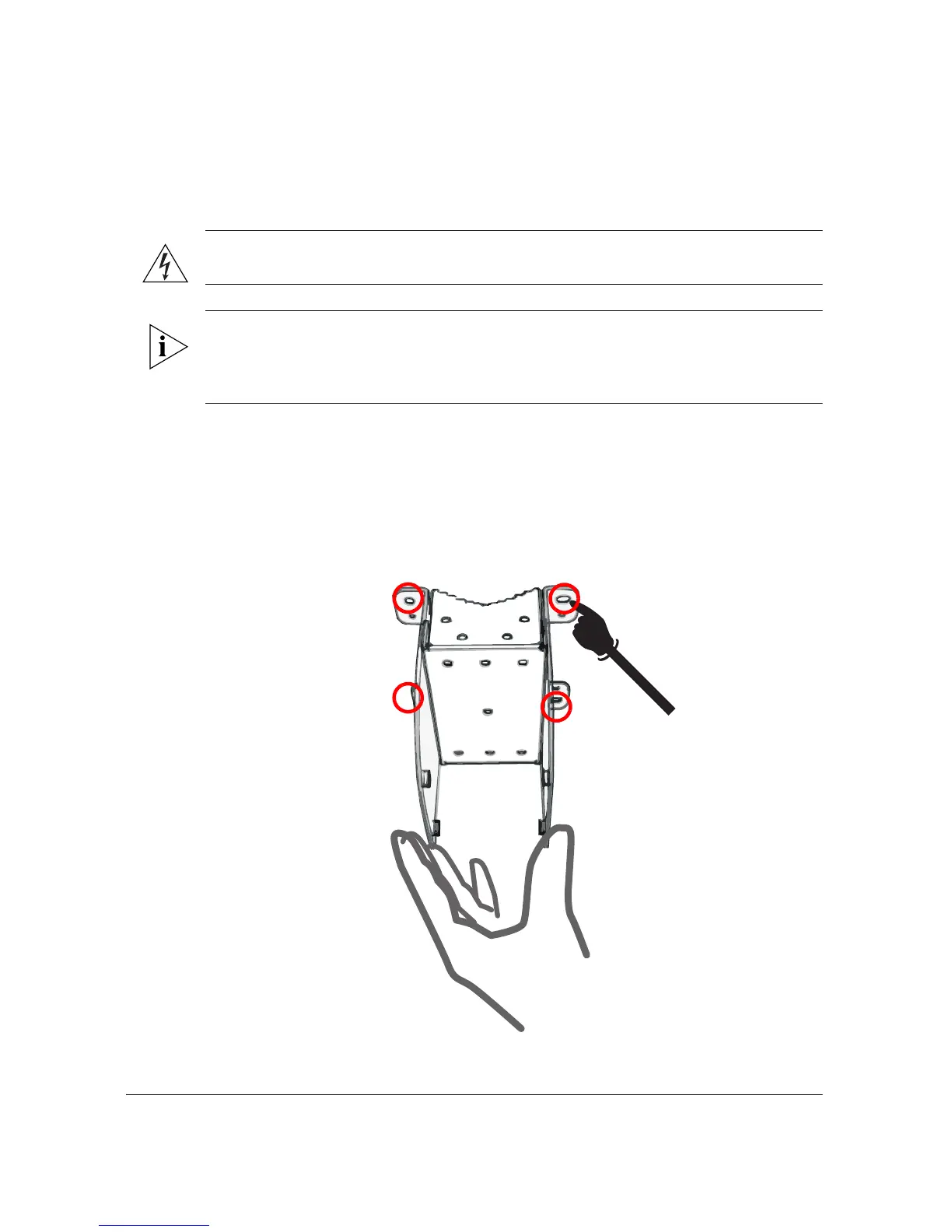
2. Use the static bracket as a template to mark the locations of the mounting holes on
the four mounting tabs.
Figure 34. Mark the locations of the mounting holes
o












 To Next Page