EasyManua.ls Logo

Ruijie RG-S5300-E Series - User Manual

Ruijie RG-S5300-E Series
93 pages
Print Icon
To Next Page IconTo Next Page
Loading...
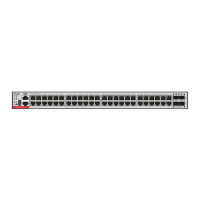
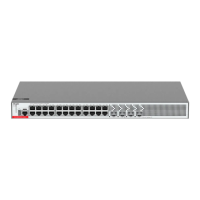
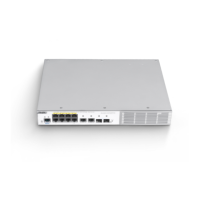
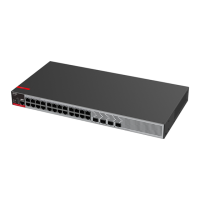
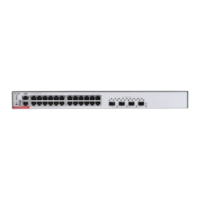
Ruijie RG-S5300-E5310-E Series Switches
Hardware Installation and Reference Guide
Document Version: V1.04
Date: 2023.03.01
Copyright © 2023 Ruijie Networks

Table of Contents

Questions and Answers

  • S
    Sharon MillsAug 11, 2025
    What to do if the AC power module does not work on Ruijie RG-S5300-E Switch?
    • W
      william02Aug 11, 2025
      If the AC power module of your Ruijie Switch isn't working, here's what to do: 1. Unplug the power cord from the power supply module. 2. Make sure the power cord is properly connected to the power socket. 3. Verify the power cord is securely connected to the power supply module itself. 4. Ensure the power supply module is correctly seated. If needed, remove the module and inspect its connector.
  • J
    Joel SosaAug 18, 2025
    How to fix link setup issues on the fiber port of a Ruijie RG-S5300-E?
    • G
      Gina DelgadoAug 18, 2025
      If you're having trouble setting up a link on the fiber port of your Ruijie Switch, consider the following: * Ensure the receiving and transmitting ends aren't reversed. The transmitting end must connect to the receiver on the other end. Try swapping the fiber-optic cable connections to confirm. * Check that the wavelengths of the SFP modules on both sides are consistent (e.g., a 1310 nm SFP module should not connect to a 1550 nm module). * Verify that the distance between the two sides doesn't exceed the maximum length specified on the SFP module. * Confirm that the speeds of both sides match and that the optical fiber type meets the requirements.
  • M
    Meghan FisherAug 26, 2025
    What to do if the serial port console has no output on a Ruijie RG-S5300-E Switch?
    • A
      Amber CamachoAug 26, 2025
      If there's no output on the serial port console of your Ruijie Switch, try these steps: 1. Check the serial cable to make sure it is working properly. 2. Make sure the connected serial port matches the configuration on the HyperTerminal. 3. Verify that the serial port configuration on the HyperTerminal is consistent with the settings in the Configuration Guide. 4. If there is still no output on the serial port, please contact Ruijie technical support.
  • H
    hebertjacobSep 2, 2025
    Why is the serial port console output garbled on my Ruijie Switch?
    • J
      Joy MathewsSep 2, 2025
      If the serial port console output on your Ruijie Switch is garbled, it's likely due to a serial port configuration issue. Check that the baud rate configuration matches the settings in the Configuration Guide.

Summary

Preparing for Installation

Safety Precautions

General, handling, electrical, ESD, and laser safety guidelines for device installation.

Grounding and Protection

Covers grounding, lightning protection, and EMI requirements.

Installing the Switch

Mounting the Switch

Describes rack, wall, and workbench mounting procedures for the switch.

Power Supply Module Installation

Instructions for installing and removing power supply units.

Grounding the Switch

Explains how to properly ground the switch for safety and reliability.

Monitoring and Maintenance

Monitoring

How to monitor switch status using LEDs and CLI commands.

Maintenance

Procedures for maintaining cooling and power supply modules.

Troubleshooting

Troubleshooting Flowchart

A visual guide to diagnosing and resolving issues.

Common Faults and Solutions

Lists common problems and their suggested resolutions.

Ruijie RG-S5300-E Series Specifications

General IconGeneral
Product SeriesRG-S5300-E Series
Switch TypeManaged
Uplink Ports4x 10G SFP+
MAC Address Table16K
Dimensions440 x 260 x 44 mm
Operating Temperature0°C to 45°C
Storage Temperature-40°C to 70°C
Operating Humidity10% to 90% (non-condensing)
Storage Humidity5% to 95% (non-condensing)
ManagementWeb, CLI, SNMP

Related product manuals