F11GIM2 User Manual
Copyright ©2021 Ruko All Rights Reserved.
20
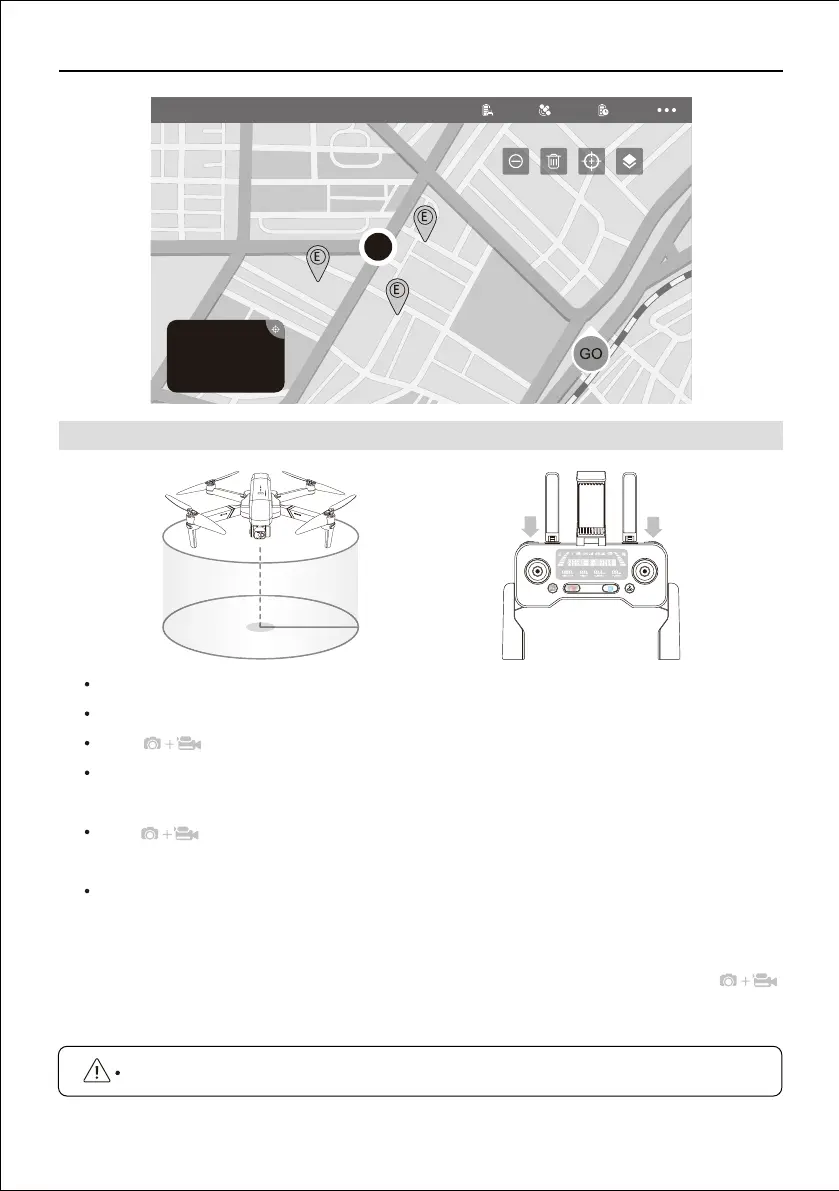
This feature enable the drone to fly around the point in a 360 circle.
Hover the drone around the center point.
Press buttons controller at the same time.
Move and set the drone surround radius range (within 2 to 100 meters ) with the Direction
Joystick.
Press buttons on the controller at the same time again, the drone starts to fly according
to the radius range set in step 2.
To cancel the Point of Interest fly, move the Direction Joystick.
Note: If the surround radius range set less than 2 meters, the drone will automatically adjust
to 2 meters.
If the drone have connectted with the contrtoller and the drone is in air, press the
buttons at the same time, the Point of Interest function will be activated.
9.3 Point of Interest
This function will only be available when the GPS signal is strong.



 To Next Page