F11GIM2 User Manual
Copyright ©2021 Ruko All Rights Reserved.
31
When it is needed to manually trigger the compass calibration to adapt
to the enviroment, please push the joystick to 1 & 11 o'clock position
,
follow the above steps to rotate the drone.
To trigger the Gyroscope Calibration, please push the joystick to 11 & 1
o'clock position
, drone auto-complete the Gyroscope Calibration.
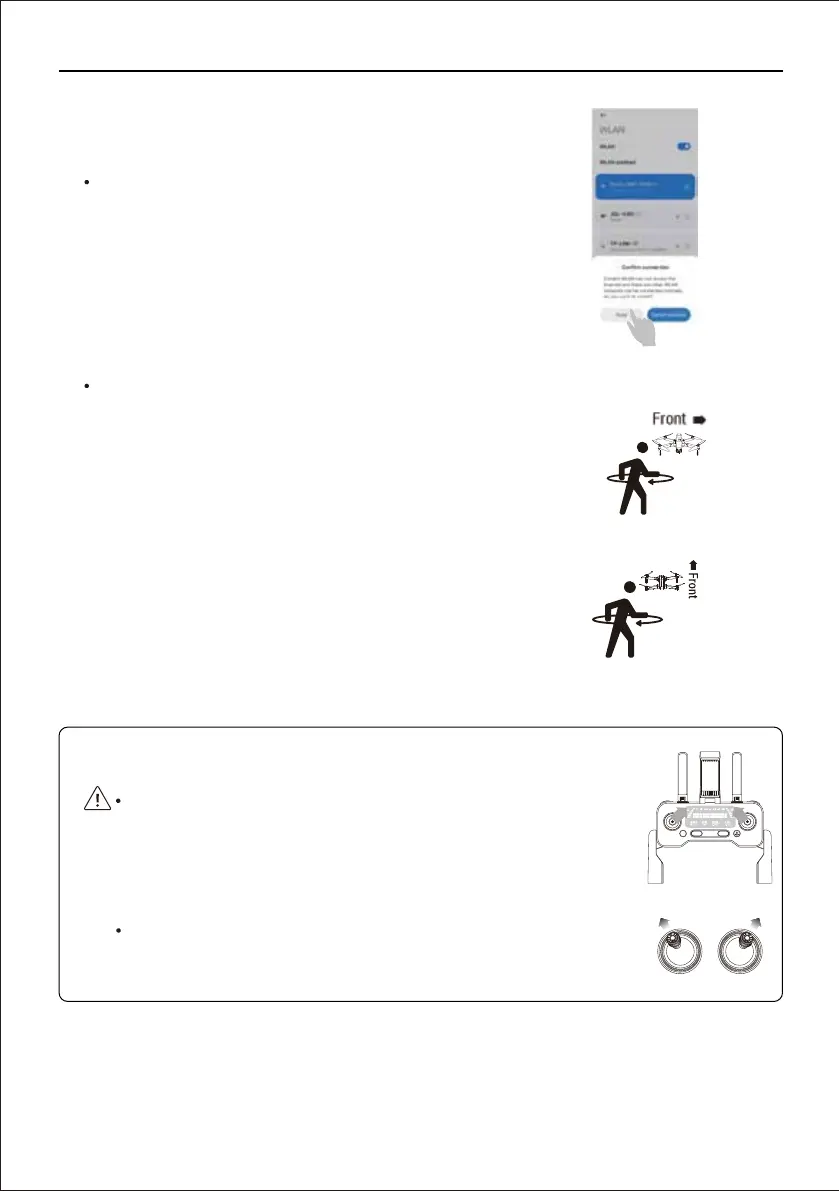
Step 3: Connect the app
Open the phone's WiFi list, connect the drone's WiFi
which names "RUKO-GIM-XXXX", open the "RUKO
DRONE" app.
Stpe 4: Complete compass Calibration
Pick up the drone and hold it levelly, rotate the drone in
one full circle (360°), until hear a “beep” sound reminder.
Hold the drone vertically with camera facing to the sky,
rotating a full circle (360°), there are two “beep” sound
reminder.
Put the drone back on a level surface, front and back
lights turn to white and blue flashing. Once the lights
switch to all solid, the drone is ready to fly.
App drone status: Compass Calibration okay--waiting
for GPS signal--ready to fly.



 To Next Page