Unit: Switch between metric and imperial measurement units.
Voice prompt: turn on or off the aircraft status voice prompt of the app.
Operation Frequency selection: You can select the frequency band
according to your region.
Aircraft information display: app version, Wi-Fi version, ID number.
SD Card
Check the SD card capacity and formatting.
⑦
38 Copyright ©2022 Ruko All Rights Reserved.
F11MINI User Manual
Shooting Mode
Choose to take a picture or record a video.
⑧
Shutter/Record Button
Tap to start shooting photos or recording video.
⑨
Photo Album
Tap to view captured videos and photos.
⑩
Flight Status Parameters
D N/A: Flight distance.
H N/A: Flight height.
H.S N/A: Speed of horizontal flight (forward or backward).
V.S N/A: Speed of vertical flight (ascending or descending).
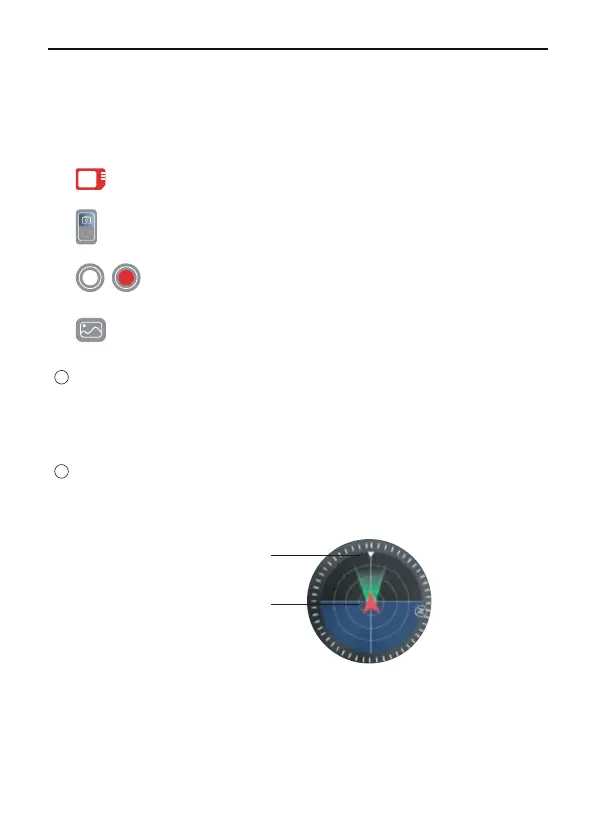
Attitude Indicator
Display information of the orientation of the aircraft, and position of
the remote controller.
12
Aircraft
orientation
Remote controller
position
11
SD



 To Next Page