F11 PRO User Manual
Copyright ©2023 Ruko All Rights Reserved. 24
3.5 Propellers
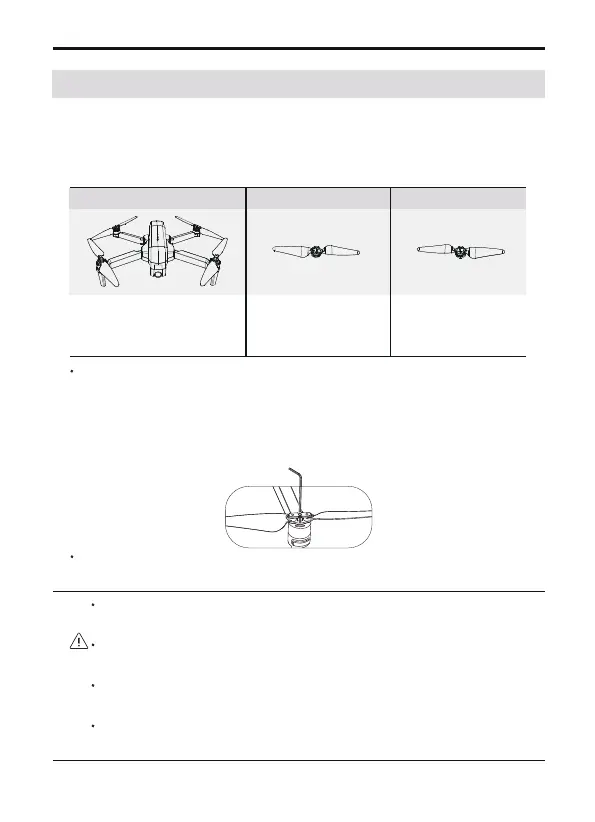
Detaching the Propellers
Use the screwdriver to detach the propellers from the motors.
Installation location
Installed to the
motor with A
mark on the arm
Installed to the
motor with B
mark on the arm
Mark A Propellers Mark B
B
B
A
A
A
A
B
B
The propellers on the adjacent motors of the F11 PRO are forward and
reverse propellers. The two propellers on the same motor are the
same, and the propellers are marked with A and B respectively. The
rotation directions of the propellers with the same mark are different.
Attaching the Propellers
Taking the camera direction as the front, the left front arm and right
rear arm must be equipped with propellers marked with A; the right
front arm and left rear arm must be equipped with propellers
marked with B. Use a screwdriver to install and make sure the
screws are tightened.
Please use the propellers provided by Ruko, and do not mix
propellers of different types.
Please check whether the propeller is installed correctly and
tightly before each flight.
Before each flight, please check to make sure that the propellers
are in good condition.
Make sure that the ESC emits a tone after the aircraft is powered
on.



 To Next Page