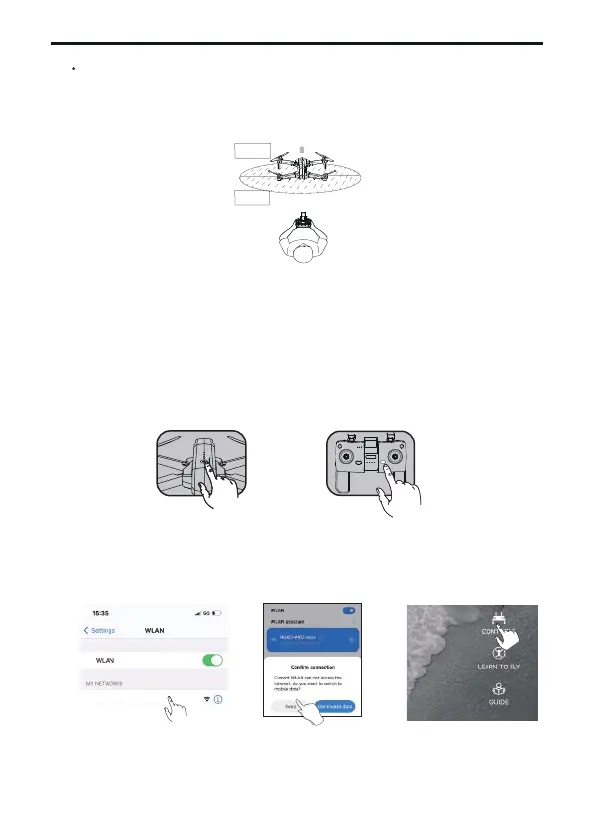
Match the aircraft with the transmitter and mobile phone
Unfold the four arms of the aircraft and place them on an open
level ground with the nose facing forward and the tail facing the
pilot.
①
An open space with a diameter of 32 ft and no interferences.
d>32ft
Front
Back
Copyright ©2023 Ruko All Rights Reserved.
44
F11 PRO User Manual
Long press the power button of aircraft, the motor light will be
on and you will hear a beeping sound, indicating that the aircraft
has been turned on;
Short press the transmitter power button once to turn on the
transmitter switch;
②
③
Connect the mobile phone to aircraft's WiFi
(name: RUKO-PRO-XXXXXX), click on theApp to enter the control
interface;
④
RUKO-PRO-XXXXXX



 To Next Page