Copyright ©2021 Ruko All Rights Reserved.
26
U11Pro User Manual
Step 4: Compass Calibration
Step 5: Gyroscope Calibration
①
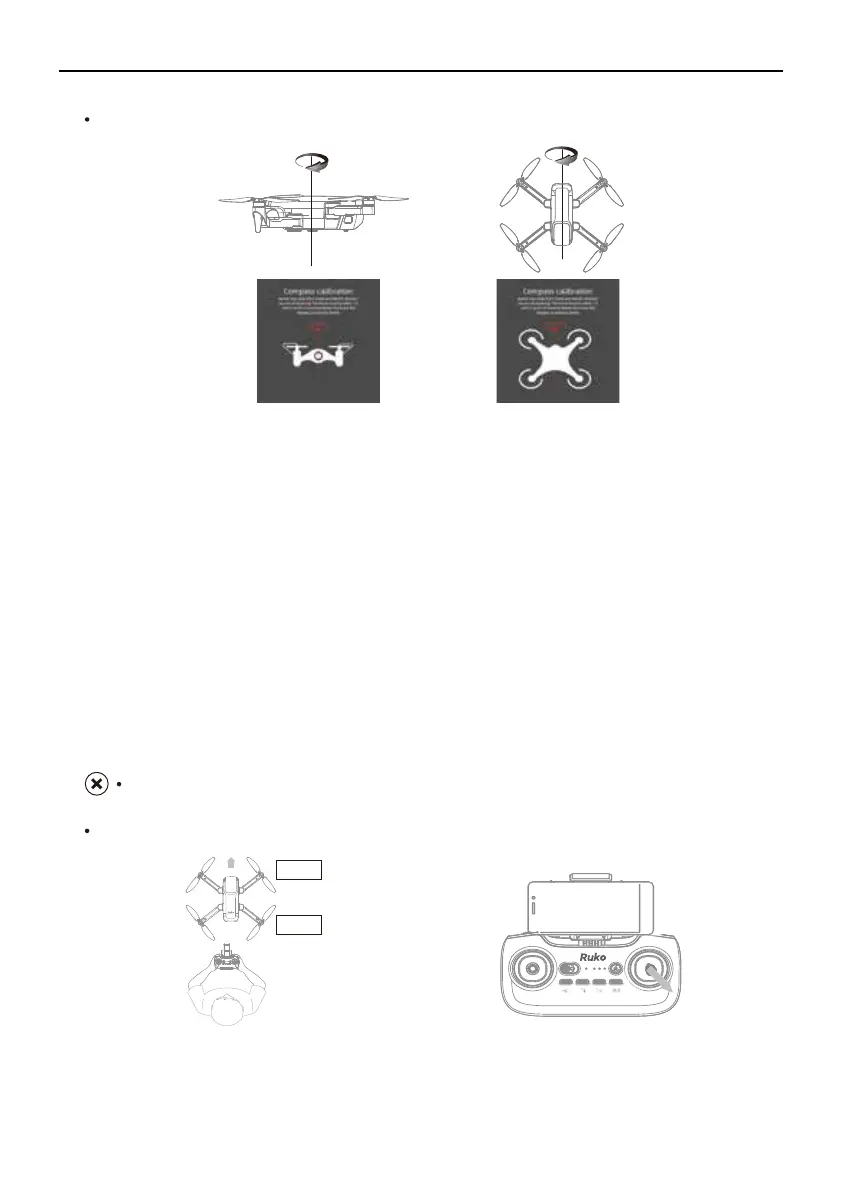
Compass Horizontal Calibration
Keeping the drone level, pick up the drone and rotate the drone 3 times horizontally at the
App prompt.
The transmitter sound beep, the horizontal Calibration is done when the Front LED Light (Red)
stays on, Rear LED Light is flashing,
You can continue with the next step when APP is prompt to enter Vertical Calibration.
②
Compass Vertical Calibration
Keeping the drone vertical, pick up the drone and rotate the drone 3 times vertically according
to the App prompt.
The transmitter sound beep, the transmitter sound beep, the Vertical Calibration when the
LED Light of drone is flashing in turn, you can continue with the next step.
Do the compass Calibration before flying each time, or it may can't work normally.
Always keep the head of drone facing forward.
Front
Back



 To Next Page