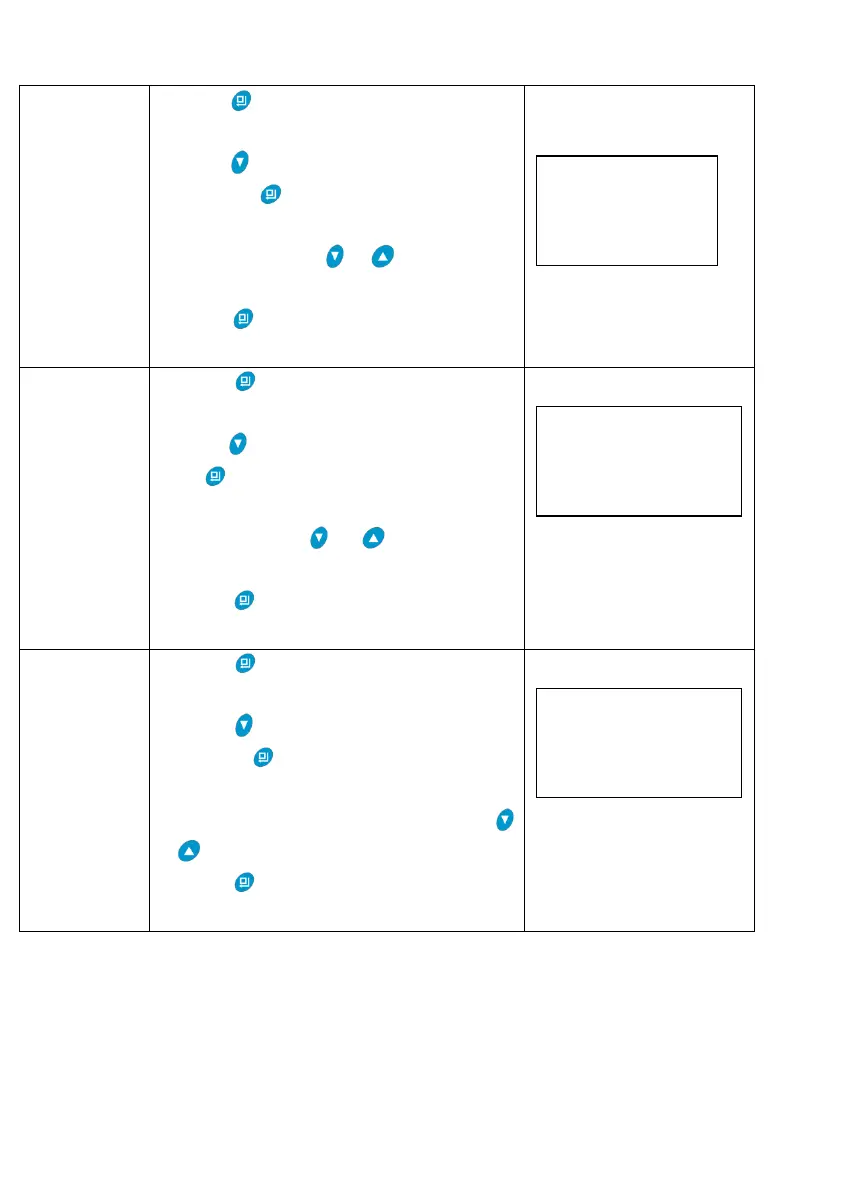
1.Press to enter into parameter setting
as Figure LR1.
2.Press to select “Set Water Hardness”;
Then press , the water hardness setting
shows as Figure LR4; hardness value 150
flashes, and press or to adjust the
hardness value.
3.Press and hear a sound “Di”, then
finish adjustment.
1.Press to enter into parameter setting
as Figure LR1.
2.Press , select " Cont. Water Time"; Then
press , the continuous water time setting
shows as Figure LR5; minute value 00
flashes, through or to adjust the
minute value;
3. Press and hear a sound “Di”, then
finish adjustment.
1.Press to enter into parameter setting
as Figure LR1.
2.Press , select " Peak F.R. for Close";
Then press , the peak flow rate for close
setting shows as the Figure LR6; Peak flow
rate for close value 0.00 flashes, through
or to adjust the value;
3. Press and hear a sound “Di”, then
finish adjustment.
G.Usage
After being accomplished installation, parameter setting and trail running by professional,
the valve could be put into use. In order to ensure the quality of outlet water can reach the
requirement, the user should complete the below works:
① Ensure that there is solid salt all the time in the brine tank in the course of using when
Peak F.R. for Close
0.00 m3/h
Set Water Hardness
150mg/L



 To Next Page