EasyManua.ls Logo

Ryf Axio Lab.A1 - User Manual

Ryf Axio Lab.A1
118 pages
Print Icon
To Next Page IconTo Next Page
Loading...
Operating Manual
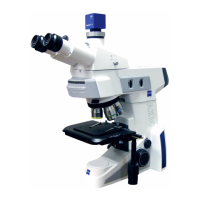
Axio Lab.A1
Ryf AG
Bettlachstrasse 2
2540 Grenchen
tel 032 654 21 00
fax 032 654 21 09
www.ryfag.ch

Table of Contents

Questions and Answers

  • T
    Tina OlsonAug 16, 2025
    How to fix shadows or inhomogeneous image brightness on Ryf Microscope?
    • M
      Mr. Alexander Ellis Jr.Aug 16, 2025
      Shadows or uneven brightness in the Ryf Microscope's view can be caused by several factors. The vis/fot push-pull rod/shift knob on the photo tube might be in an intermediate position; the nosepiece with the objective may not be fully engaged; the condenser, aperture diaphragm, or luminous-field aperture might not be correctly adjusted; or the filter might not be correctly inserted in the filter mount. To resolve this, ensure the vis/fot push-pull rod/shift knob is in the correct end position, push in the nosepiece until it engages, correctly set the condenser, aperture diaphragm and luminous-field diaphragm, and ensure the filter is correctly inserted in the filter mount.
  • A
    Alexis ValenzuelaOct 31, 2025
    Why is there low resolving power and poor image contrast on my Ryf Microscope?
    • D
      Dana SuarezOct 31, 2025
      Low resolving power and poor image contrast in your Ryf Microscope can occur for several reasons. It could be due to an incorrectly adjusted aperture diaphragm. The condenser may not be correctly focused, or its front lens 0.9 might not be swiveled in/out correctly. Using the wrong frame glass thickness, having the specimen slide upside down, using incorrect immersion oil, air bubbles in the immersion oil, immersion oil on a dry objective, an incorrect correction setting, or dirt/dust on optical surfaces can also cause this issue. Try adjusting the aperture diaphragm, focusing the condenser, using standard frame glass with a thickness of 0.17 mm, ensuring the specimen side is on top, using immersion oil 518 N or 518 F from Carl Zeiss, repeating the oiling procedure with fresh oil, cleaning...

Summary

Introduction

Instrument Safety

Important information and warnings for safe operation of the microscope.

Ergonomics and Workplace Setup

Guidelines for ergonomic microscope use and workstation configuration.

Warranty Information

Details on the manufacturer's warranty and its terms.

Microscope Description

Intended Use and Applications

Overview of the microscope's applications in various fields.

System Overview and Configurations

Visual representation of microscope components and their assembly.

Technical Specifications

Key technical data including dimensions, weight, and environmental conditions.

Control and Functional Elements

Identification and explanation of microscope controls and features.

Optional Component Controls

Explains functions of optional components like tubes, stages, and condensers.

Start-Up and Installation

Installing Standard Components

Guide to unpacking, setting up, and connecting standard microscope parts.

Mounting Optional Components

General instructions for mounting various optional microscope accessories.

Power Connection and Switching

Instructions for connecting power and switching the microscope on/off.

Ergonomic Microscope Setup

Advice on setting up the microscope for optimal ergonomic use.

Operation and Techniques

Transmitted Light Methods

Guide to transmitted light techniques like brightfield, darkfield, phase contrast, and polarization.

Reflected Light Methods

Guide to reflected light techniques like brightfield, darkfield, polarization, and fluorescence.

Care, Maintenance, and Troubleshooting

Instrument Care and Cleaning

Guidelines for cleaning and protecting the microscope.

Maintenance Procedures

Procedures for checking the instrument and replacing fuses.

Troubleshooting Common Issues

Common problems, causes, and solutions for microscope operation.

Service and Support

Information on authorized service personnel and maintenance agreements.

Annex

List of Abbreviations

Glossary of abbreviations used in the manual.

Index

Alphabetical index of manual topics with page references.

Industrial Property Rights

Information regarding patents protecting the instrument.

Ryf Axio Lab.A1 Specifications

General IconGeneral
BrandRyf
ModelAxio Lab.A1
CategoryMicroscope
LanguageEnglish