START-UP
Axio Lab.A1 Installing standard components Carl Zeiss
04/2013 430037-7144-001 59
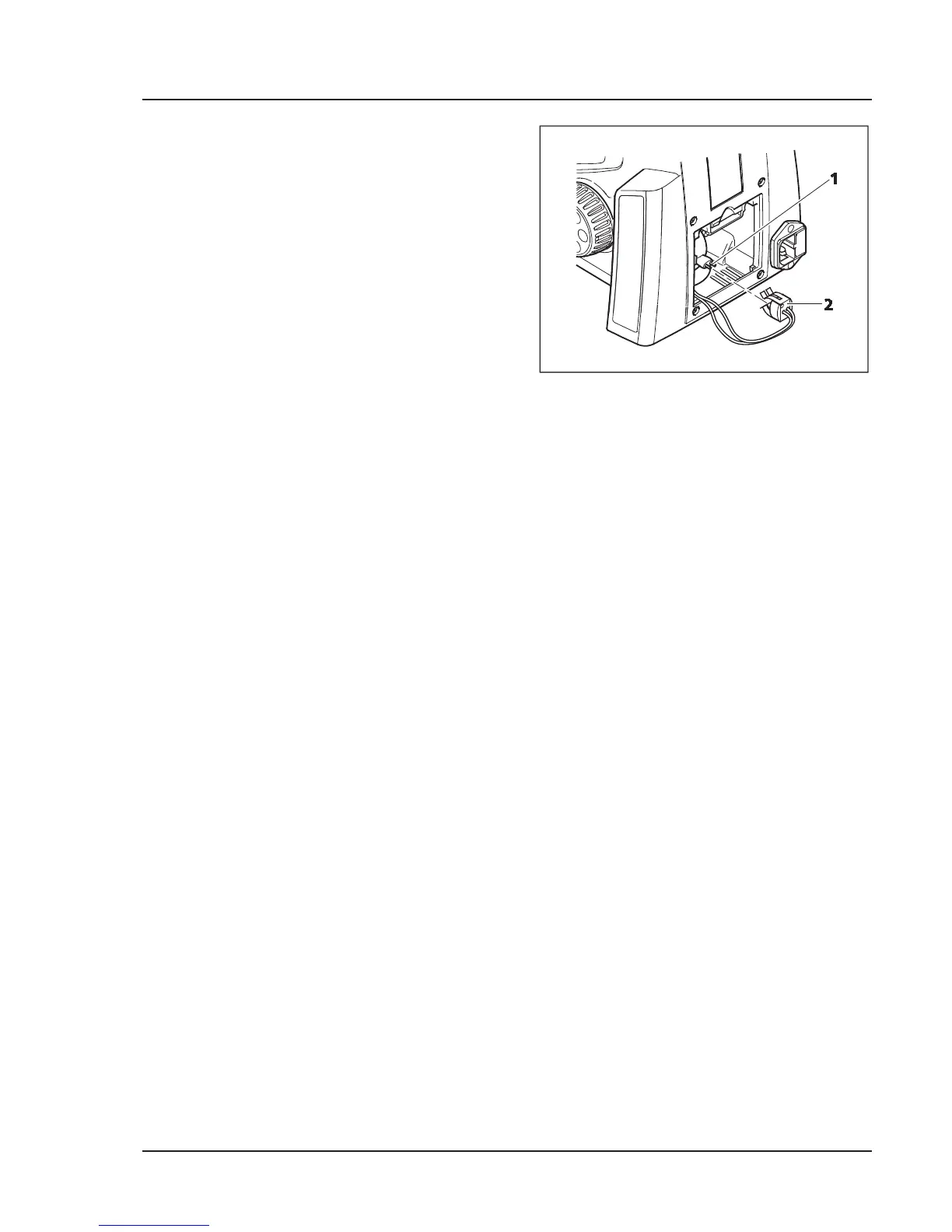
x Check that the lighting unit is seated correctly
and insert the plug (Fig. 3-19/2) onto the pins
of the lighting unit (Fig. 3-19/1). Ensure that it
engages properly to avoid bending the pins.
x Insert the cable of the lamp plug into the stand
so that it is not damaged when the cover is
mounted.
x Insert the lower edge of the cover (Fig. 3-16/2)
into the retaining channels (Fig. 3-17/4) of the
stand and swing upwards until the clamping
jaw (Fig. 3-16/1) locks in.
x Reconnect the power cord.
Fig. 3-19 Attaching condenser


 To Next Page