24
English
•
1
9
10
11
12
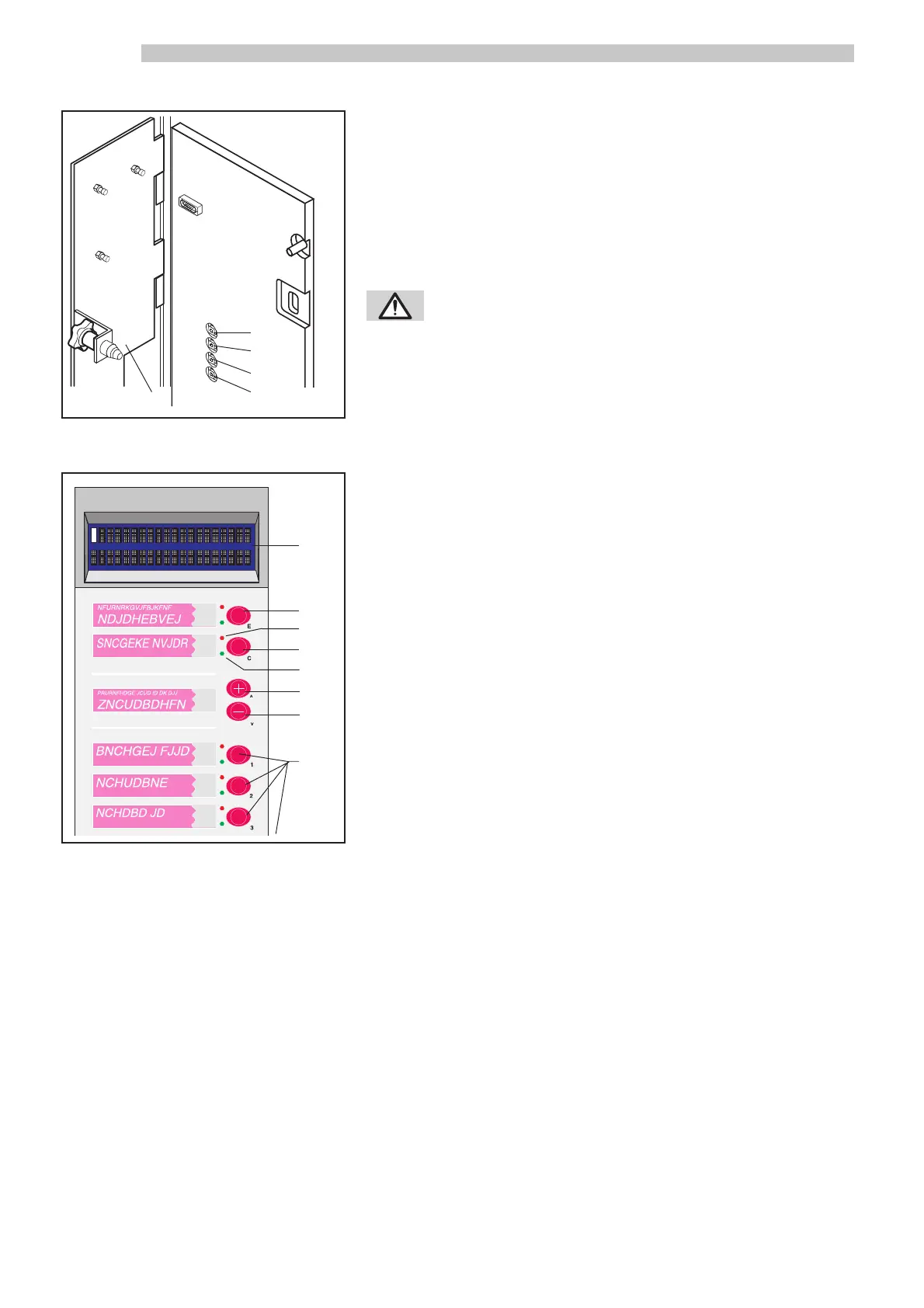
Fig.22
ACCESS TO PROGRAMMING MODE
- Open the front door
- Open the coiner cover ref. 1 (Fig. 22)
- Insert the safety disabling key ref. 23 (Fig. 0)
- Press the programming access button ref. 11 (Fig. 22). The front panel
neon light will turn off, confirming access to the programming mode. In
the programming mode, buttons ref. 3-4-5-6 (Fig. 23) have the following
functions:
WARNING: Execute caution when following this
procedure, as the insertion of the safety disabling
key allows the machine to operate with the front
door open, but at the same time also disables the
machine’s safety mechanisms. This procedure
should be performed only by trained and skilled
personnel (maintenance technician).
- Button E (ref. 6): “Enter” Function: allows access to the next menu and
modification of the currently used value (a cursor ap-
pears under the character to be changed).
- Button C (ref. 5): “Cancel” Function: avoids saving a new value and al-
lows return to the previous programming level.
- Button ^ (ref. 3): Allows you to move the cursor to the next line within
the same programming level.
Used to increase a value after obtaining access to the
value via the Enter button.
- Button v (ref. 4): Allows you to move the cursor to the preceding line
within the same programming level.
Used to decrease a value after obtaining access to the
value via the Enter button.
The display ref. 1 (Fig. 23) is composed of two 20-character lines. In the
programming mode, the first line displays the message that is currently
being modified; the second line display the parameters from which to choo-
se.
Fig.23
1
•
•
•
•
•
•
2
3
4
5
6
7
8



 To Next Page