English
8
41
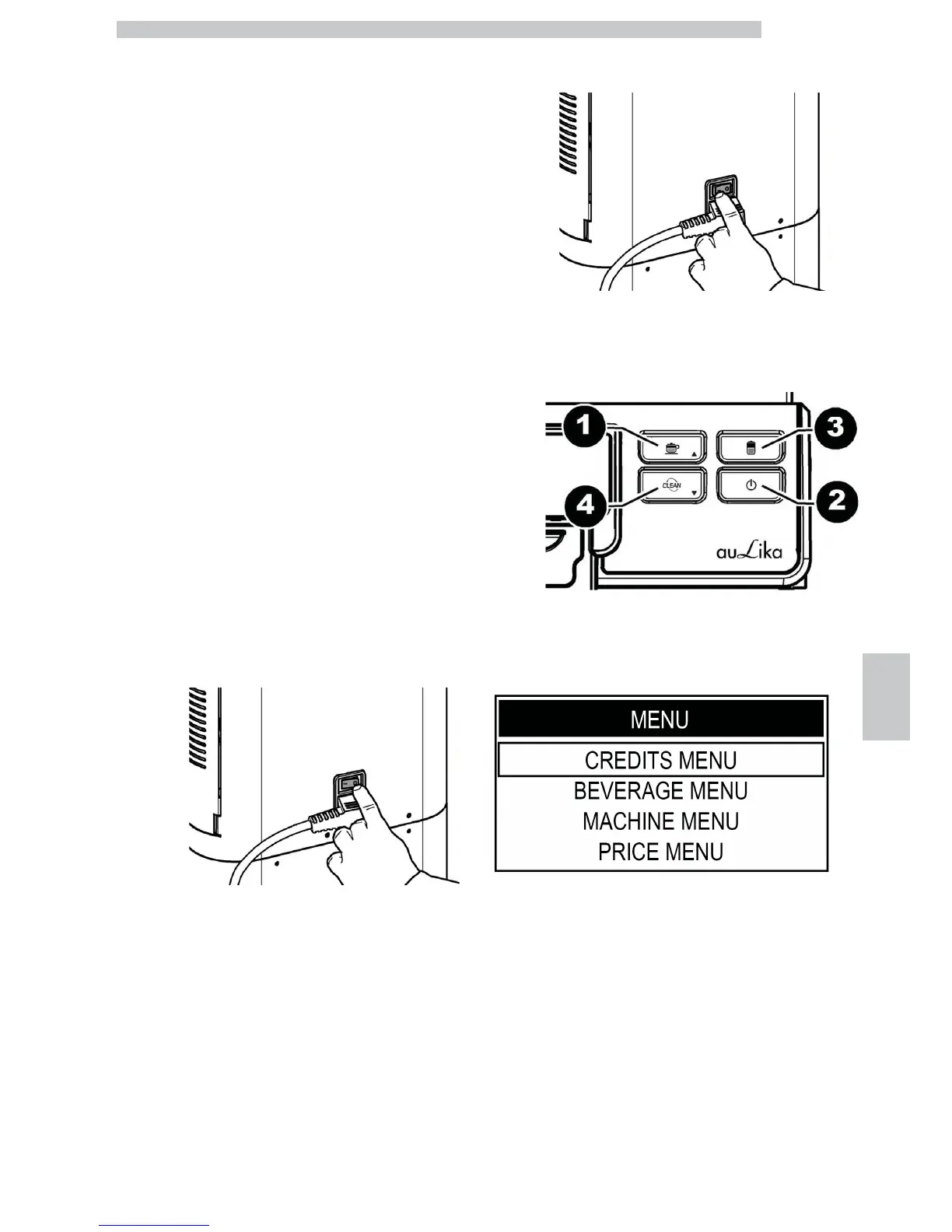
Button 3: Cappuccino
Up function
This button allows you to:
• browse the pages within a menu;
• change the parameters when they are made editable using
the "OK" button.
Button 4: Clean
Down function
This button allows you to:
• browse the pages within a menu;
• change the parameters when they are made editable using
the "OK" button.
8.2 Service Provider
Programming
The structure of the programming menu is indicated in
section "Structure of the Programming Menu".
The section "Description of Messages in the Programming
Menu" describes all the items in the programming menu.
8.2.1 Access to the Programming
Menu
Proceed as follows to access programming mode.
- Turn off the machine using the power button.
- Turn on the machine using the power button and...
- ...while the machine checks the functions, press the
buttons in the following sequence.
- If the sequence was entered correctly, the programming
menu will open.








 To Next Page