Chapter 2: Installation
Installing the Control Panel 5
22222
Installation
2.2 Installing the Control Panel
When installing, make sure the Compass Safe Distance of 0.6 m is maintained.
The Control Panel can be mounted in two ways, if needed with the cable relief:
• Desktop mounting
• Flush mount — typically in a console
• Mounting the cable relief bracket
2.2.1 Desktop mounting
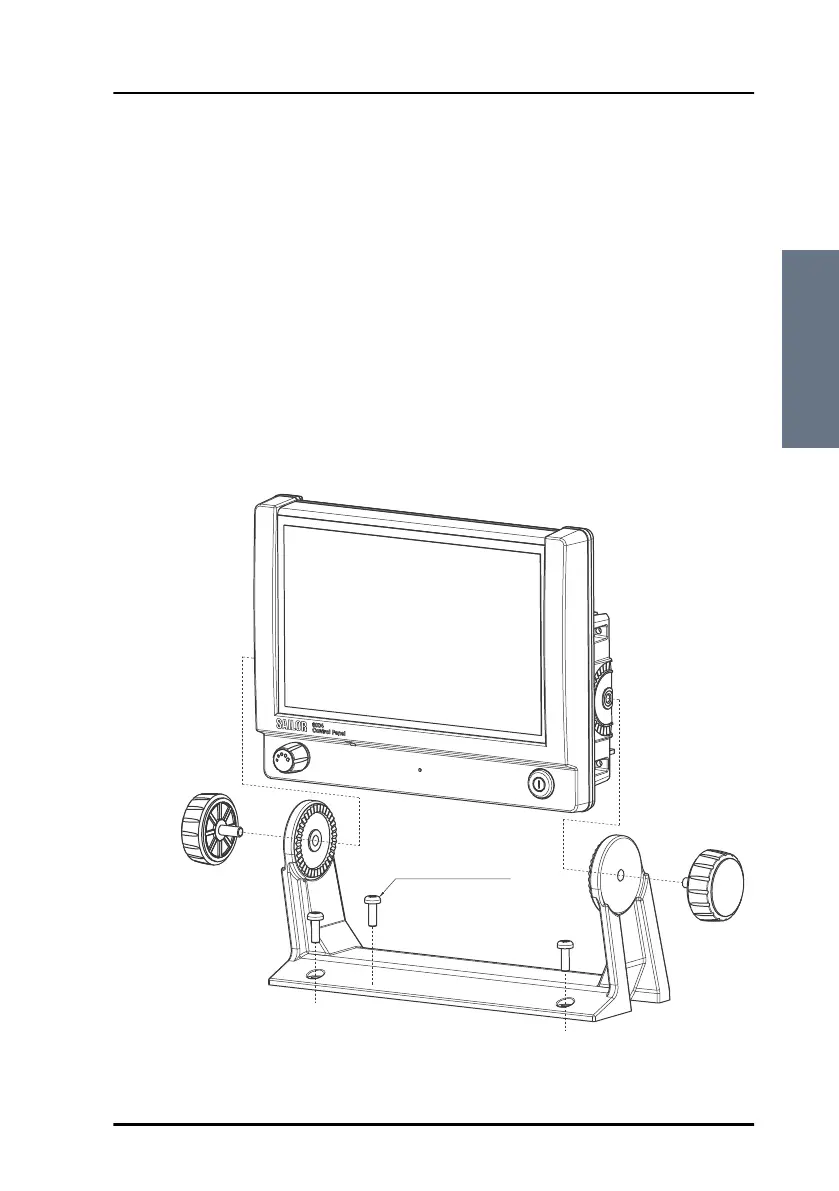
You can mount the Control Panel on a desktop using the mounting bracket.
M4x12 TORX 20 (4 pcs.) or
ø3.9x19 TORX 20 (4 pcs.)
ControlPanel.book Page 5 Thursday, January 3, 2013 12:28 PM



 To Next Page