Chapter 4: Verification
22 Check of the Control Panel
4.2.2 Test log and further information
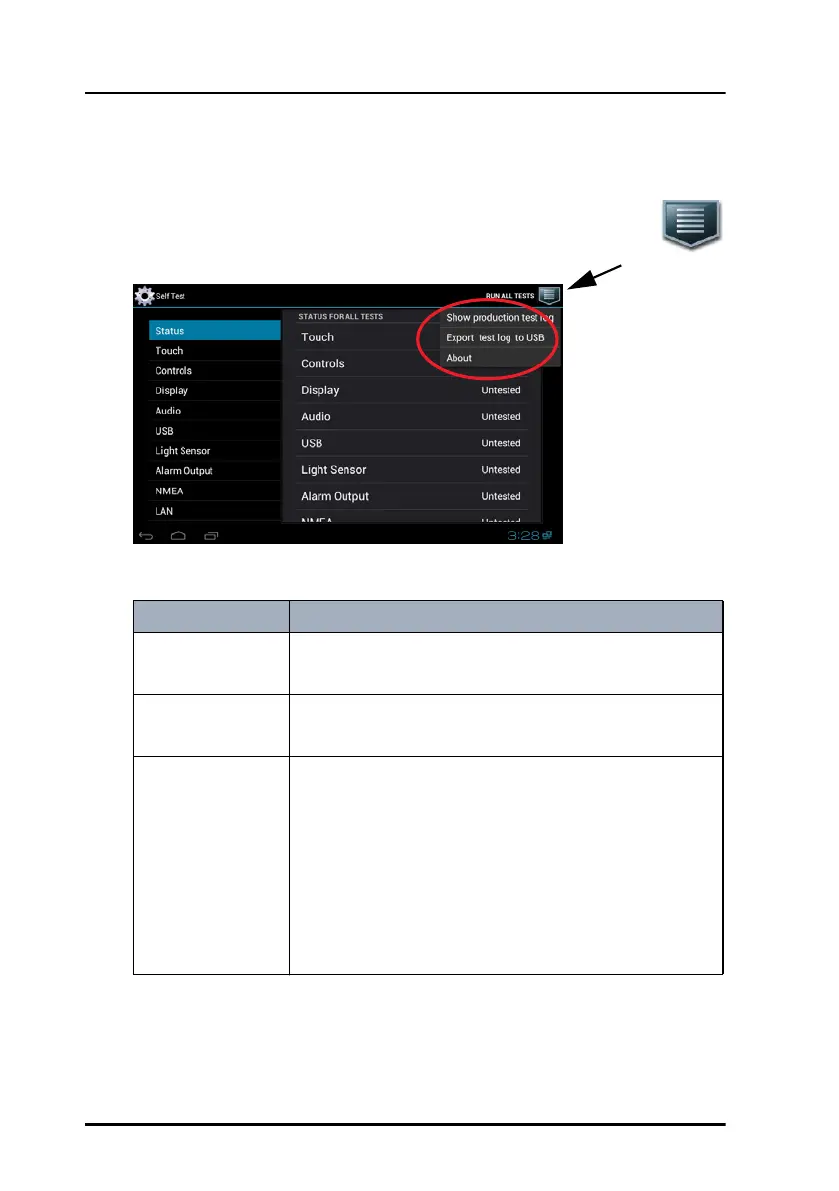
Tap the icon in the upper right corner to display the list of options.
They show which type of further information is available.
The following options are available:
Option Description
Show production
test log
Shows the test results from the production tests.
Export test log to
USB
Exports and saves the test results in a file to an
inserted USB memory device.
About Displays the About screen with the following
information:
• Status, e.g. network and IP address of the Control
Panel (acquired with zeroconf or DHCP protocol)
• Legal information
• Software version of the Control Panel
• Hardware version of the Control Panel
ControlPanel.book Page 22 Thursday, January 3, 2013 12:28 PM



 To Next Page