Chapter 4: Verification
20 Check of the Control Panel
4.2.1 Running a self test
To run a self test, do as follows:
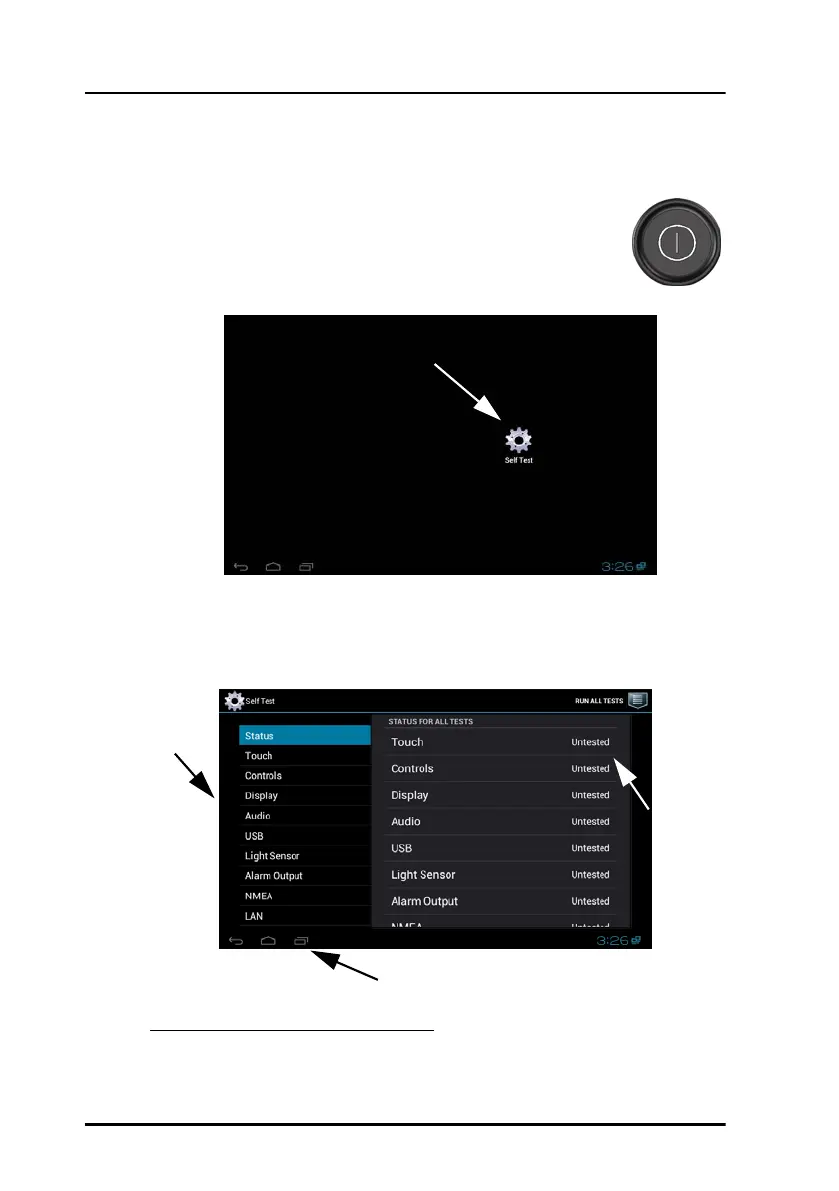
1. Press the power button to switch the Control Panel on.
The display shows
1
the example below or the start screen of
the already installed application:
2. To enter the self test, tap the icon Self Test or find the self test in the list of
options of the application.
3. The self test status page is displayed.
1. The clock might not be visible in all applications.
Tap item
to start a
test.
(Slide the
list to
display
further
items.)
Tap to go to installed user application
Test result
of
individual
tests
ControlPanel.book Page 20 Thursday, January 3, 2013 12:28 PM



 To Next Page