Chapter 2: Installation
Installing the Control Panel 9
22222
Installation
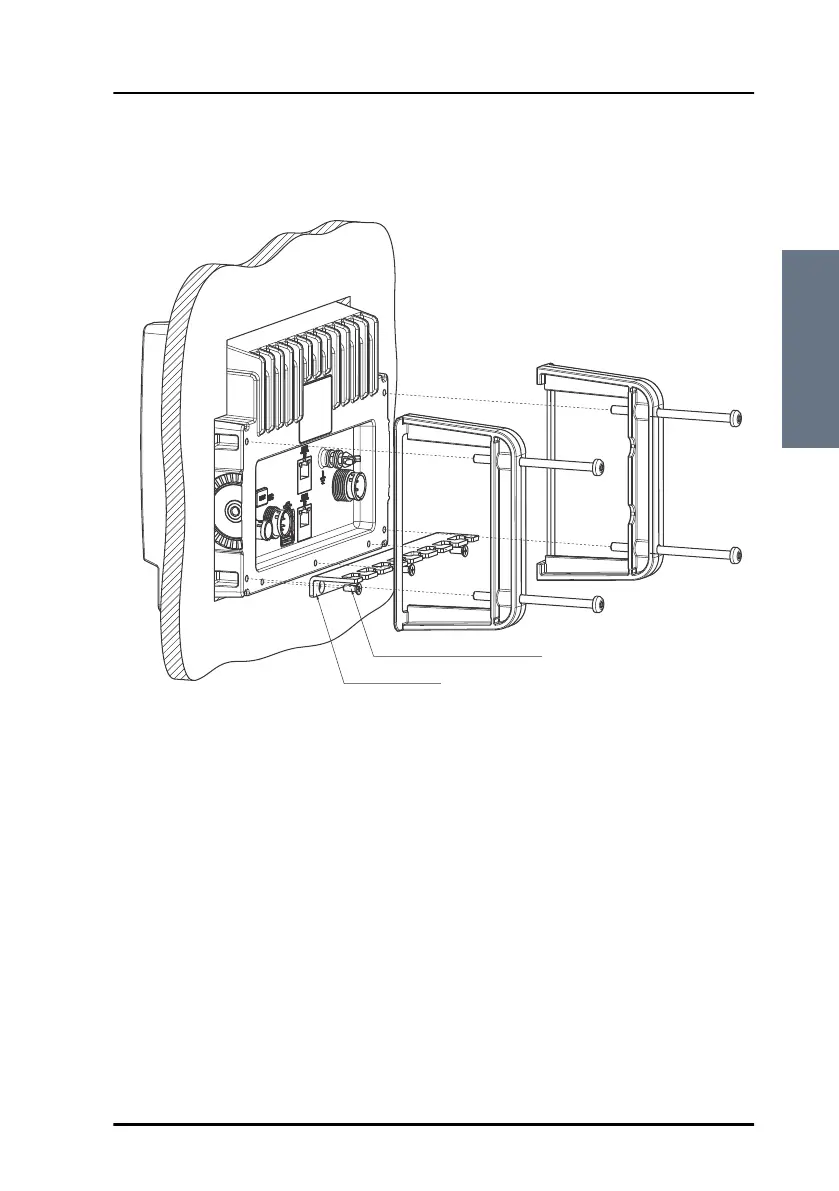
5. Mount the flush mount brackets on the back of the Control Panel by
mounting the 4 Torx screws through the bracket and into the Control Panel.
.
6. Fasten the 4 Torx screws.
7. Connect the cables as described in chapter 3.
Cable Relief Plate
Screw M3x8 Countersink (3 pcs.)
ControlPanel.book Page 9 Thursday, January 3, 2013 12:28 PM



 To Next Page