5
Channel Control
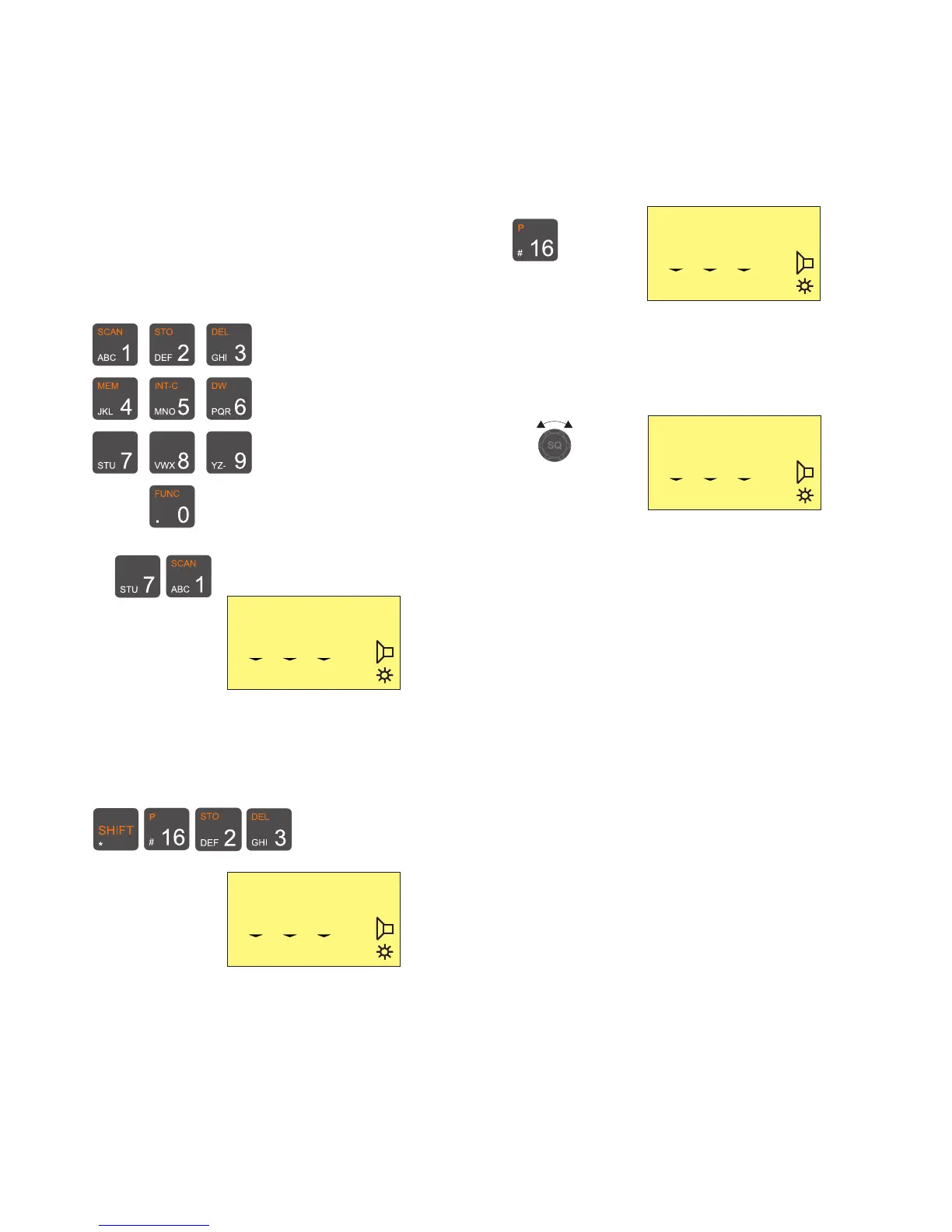
Setting the VHF channel can be done in two ways by means of the
numeric input keys or by using the quick select key “16”:
Numeric keys:
Press the numeric input keys until the desired channel number is
shown on the display:
Ex:
If private channels are available in your VHF system, a private
channel number is selected by pushing the buttons:
Ex: Private channel 23
25W
INT
MEM VOL SQ
71
0 10 03
25W
INT
MEM VOL SQ
P23
0 09 01
25W
INT
MEM VOL SQ
16
0 10 03
Squelch Control
Set the squelch sensitivity of the receiver by the button
The squelch setting is shown on the display below the “SQ” symbol.
25W
INT
MEM VOL SQ
6
1 08 02
Quick select key:
Press the key


 To Next Page