14
Detail
4 DSC Operations in Detail
4.1 MMSI Number
To operate VHF with DSC the equipment need to be configured with your vessels MMSI
number. If not configured before installation the VHF will inform you at start-up to program
the MMSI number.
The vessels MMSI number is programmable from the DSC menu (4.5). It can only be
programmed once from this menu after which changing the programmed MMSI will be
possible only through the service interface.
If the MMSI number has been programmed correctly the number is displayed during start-up
4.2 Group MMSI Number
If your radio is configured as member of a group(s) it will receive group calls to that group.
The VHF can be configured to be part of (up to 10) groups. The group MMSI numbers can
be programmed from menu 4.5.2.
The configured group numbers are shown as a list. You can add a group MMSI number by
selecting with the <empty> list entry. Enter a valid group MMSI and press .
A group number can be changed by selecting the number , edit the number and
press OK. A group number can be removed from the list by selecting the number ,
delete the number and press .
4.3 Differentiating Incoming Calls by Ringing
Tones
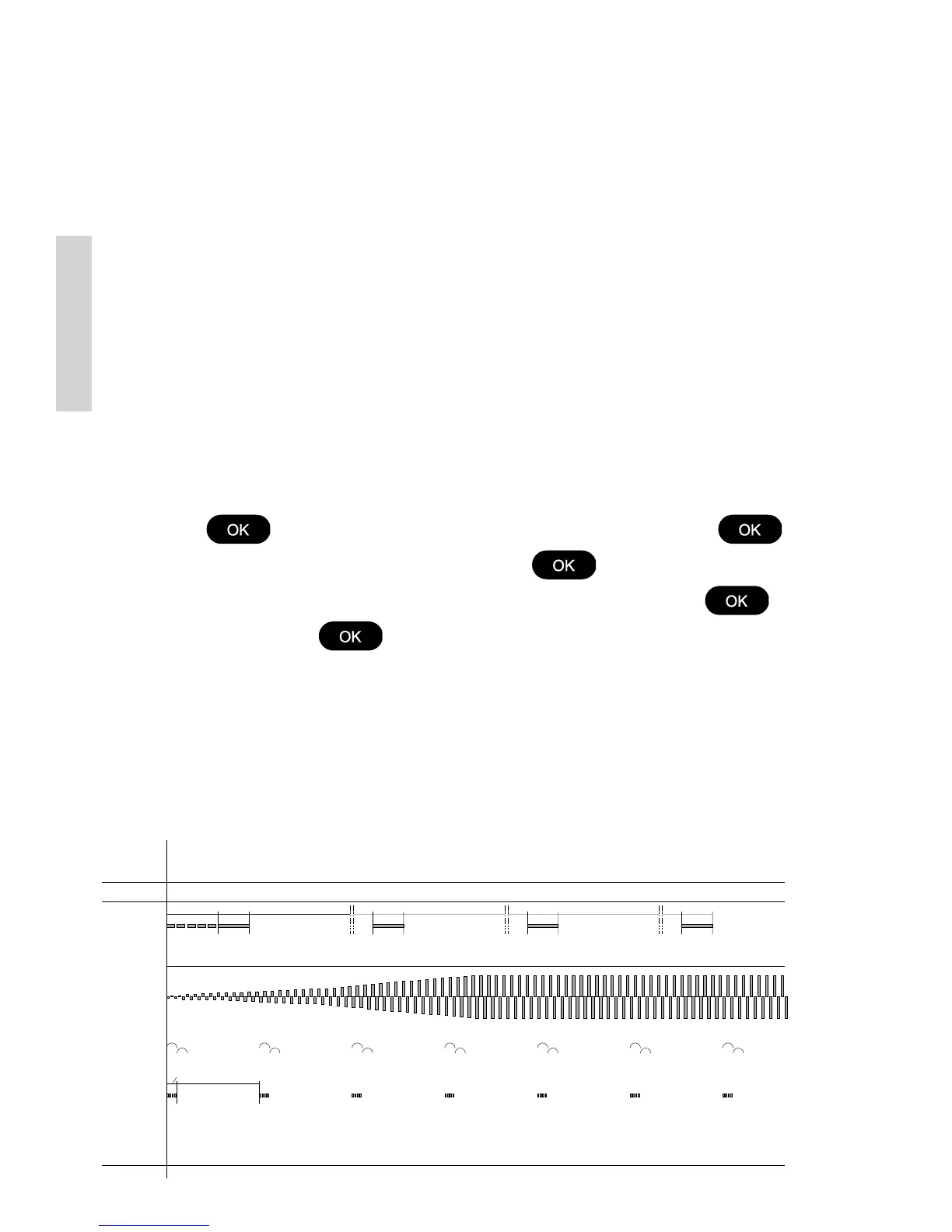
Your VHF rings in various ways according to the nature of the call, as the following
diagram shows:
60 sec.
1 sec.
8 sec.
3 sec.
5 sec.
3 1/2 - 4 1/2 min
3 sec.
3 1/2 - 4 1/2 min
3 sec.
3 1/2 - 4 1/2 min
3 sec.
DISTRESS
&
URGENCY
TONE SIGNAL
39717
CALLS
SAFETY
TRANSMIT
DISTRESS
PSTN
ROUTINE &
Tx Tx Tx Tx
0505



 To Next Page