EasyManua.ls Logo

Sailor 6300 - User Manual

Sailor 6300
70 pages
Print Icon
To Next Page IconTo Next Page
Loading...
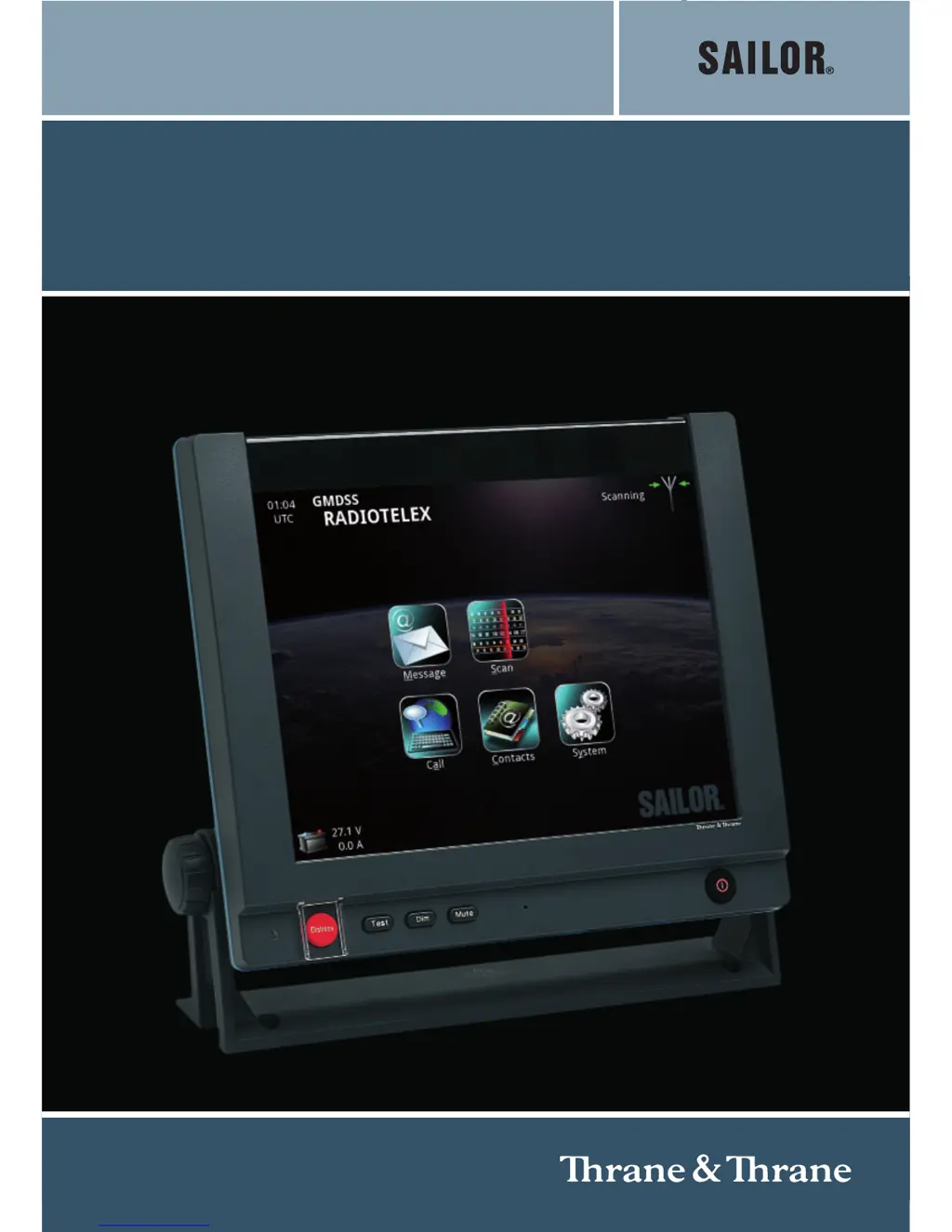
SAILOR 6300
MF/HF Radiotelex
USER MANUAL

Other manuals for Sailor 6300

Questions and Answers

Summary

SAILOR 6300 MF;HF Radiotelex User Manual

Safety Summary and Precautions

Grounding Equipment

Ensure proper grounding of chassis and cabinet to minimize shock hazard.

Explosive Atmosphere Operation

Do not operate in presence of flammable gases or fumes.

Live Circuit Safety

Only qualified personnel should remove covers or adjust internals.

Equipment Modification Warning

Do not substitute parts or perform unauthorized modifications.

Compass Safe Distance

Maintain a minimum safe distance of 1.3m from the Message Terminal.

About the Manual

Manual Overview and Related Documents

Details manual structure, chapters, and related documents for the Radiotelex system.

Typography Conventions

Explains the use of bold and italic text for emphasis and cross-references in the manual.

Chapter 1: Introduction to the Radiotelex System

System Overview

Explains how the SAILOR 6300 MF/HF Radiotelex communicates on MF/HF frequencies within GMDSS.

The Radiotelex Application

Details the Radiotelex program running on the SAILOR 6006 Message Terminal.

Chapter 2: Operating the SAILOR 6300 MF;HF Radiotelex

Before You Start

Steps required before operating the system, including setup and mode selection.

Sending a DSC Distress Alert

Procedure for sending a DSC Distress alert, emphasizing safety.

Sending a Distress Telex

Steps to send a Distress telex following a DSC alert.

Cancelling a Distress Alert

Procedure for cancelling a previously sent DSC Distress alert via telex.

Overview of the Radiotelex User Interface

Explains the main screen layout, status fields, and icons.

Navigating the Radiotelex Interface

Describes methods for navigating and selecting items using touch, keyboard, and trackball.

Setting Up a Telex Call

Details transmission modes (ARQ, Selective FEC, Broadcast FEC) and frequency selection.

Making a Telex Call

Step-by-step guide to establishing and conducting a telex call.

Messages and Message Files

How to write, save, and manage telex messages and message files.

Viewing and Managing Messages

Instructions for viewing the Inbox, Sent items, and managing messages.

Receiving Telex Messages

How the system receives telex messages and what happens upon receipt.

Scanning Frequencies

How to start, stop, and manage frequency scanning for receiving telex messages.

Editing Scan List

Procedures for adding, changing, or deleting frequencies in the scan list.

Contacts - Individual

Managing individual contacts, including adding and editing entries.

Contacts - Coast Stations

Managing coast station contacts, including adding, editing, and channel details.

Contacts Backup and Management

How to import and export contact lists for backup and transfer.

System Information

Viewing serial numbers and software versions of system units.

System Settings Configuration

How to configure date/time, screen, call, and identification settings.

Power Status Monitoring

How to check the power supply and battery status and settings.

Chapter 3: Troubleshooting and Status Signaling

Getting Support

Guidance on contacting distributors for assistance when manual solutions are insufficient.

Generating a Diagnostic Report

Steps to create a diagnostic file for troubleshooting purposes.

Troubleshooting Guide

A table of common problems, their causes, and remedies.

Status Signaling and Event Information

Explains system status indicators, popup windows, and error/warning icons.

Glossary of Terms

Summary

SAILOR 6300 MF;HF Radiotelex User Manual

Safety Summary and Precautions

Grounding Equipment

Ensure proper grounding of chassis and cabinet to minimize shock hazard.

Explosive Atmosphere Operation

Do not operate in presence of flammable gases or fumes.

Live Circuit Safety

Only qualified personnel should remove covers or adjust internals.

Equipment Modification Warning

Do not substitute parts or perform unauthorized modifications.

Compass Safe Distance

Maintain a minimum safe distance of 1.3m from the Message Terminal.

About the Manual

Manual Overview and Related Documents

Details manual structure, chapters, and related documents for the Radiotelex system.

Typography Conventions

Explains the use of bold and italic text for emphasis and cross-references in the manual.

Chapter 1: Introduction to the Radiotelex System

System Overview

Explains how the SAILOR 6300 MF/HF Radiotelex communicates on MF/HF frequencies within GMDSS.

The Radiotelex Application

Details the Radiotelex program running on the SAILOR 6006 Message Terminal.

Chapter 2: Operating the SAILOR 6300 MF;HF Radiotelex

Before You Start

Steps required before operating the system, including setup and mode selection.

Sending a DSC Distress Alert

Procedure for sending a DSC Distress alert, emphasizing safety.

Sending a Distress Telex

Steps to send a Distress telex following a DSC alert.

Cancelling a Distress Alert

Procedure for cancelling a previously sent DSC Distress alert via telex.

Overview of the Radiotelex User Interface

Explains the main screen layout, status fields, and icons.

Navigating the Radiotelex Interface

Describes methods for navigating and selecting items using touch, keyboard, and trackball.

Setting Up a Telex Call

Details transmission modes (ARQ, Selective FEC, Broadcast FEC) and frequency selection.

Making a Telex Call

Step-by-step guide to establishing and conducting a telex call.

Messages and Message Files

How to write, save, and manage telex messages and message files.

Viewing and Managing Messages

Instructions for viewing the Inbox, Sent items, and managing messages.

Receiving Telex Messages

How the system receives telex messages and what happens upon receipt.

Scanning Frequencies

How to start, stop, and manage frequency scanning for receiving telex messages.

Editing Scan List

Procedures for adding, changing, or deleting frequencies in the scan list.

Contacts - Individual

Managing individual contacts, including adding and editing entries.

Contacts - Coast Stations

Managing coast station contacts, including adding, editing, and channel details.

Contacts Backup and Management

How to import and export contact lists for backup and transfer.

System Information

Viewing serial numbers and software versions of system units.

System Settings Configuration

How to configure date/time, screen, call, and identification settings.

Power Status Monitoring

How to check the power supply and battery status and settings.

Chapter 3: Troubleshooting and Status Signaling

Getting Support

Guidance on contacting distributors for assistance when manual solutions are insufficient.

Generating a Diagnostic Report

Steps to create a diagnostic file for troubleshooting purposes.

Troubleshooting Guide

A table of common problems, their causes, and remedies.

Status Signaling and Event Information

Explains system status indicators, popup windows, and error/warning icons.

Glossary of Terms

Sailor 6300 Specifications

General IconGeneral
Output Power25 W
Operating Temperature-25°C to +55°C
ModulationFM (16K0G3E)
Channel Spacing25 kHz
Operating ModesSimplex, Semi-duplex
Transmitter Output Power25 W
Power Supply10.5-32 V DC
Supply Voltage10.5-32 V DC

Related product manuals