Chapter 2: Using the system
10 Overview of the Radiotelex user interface
Overview of the Radiotelex user interface
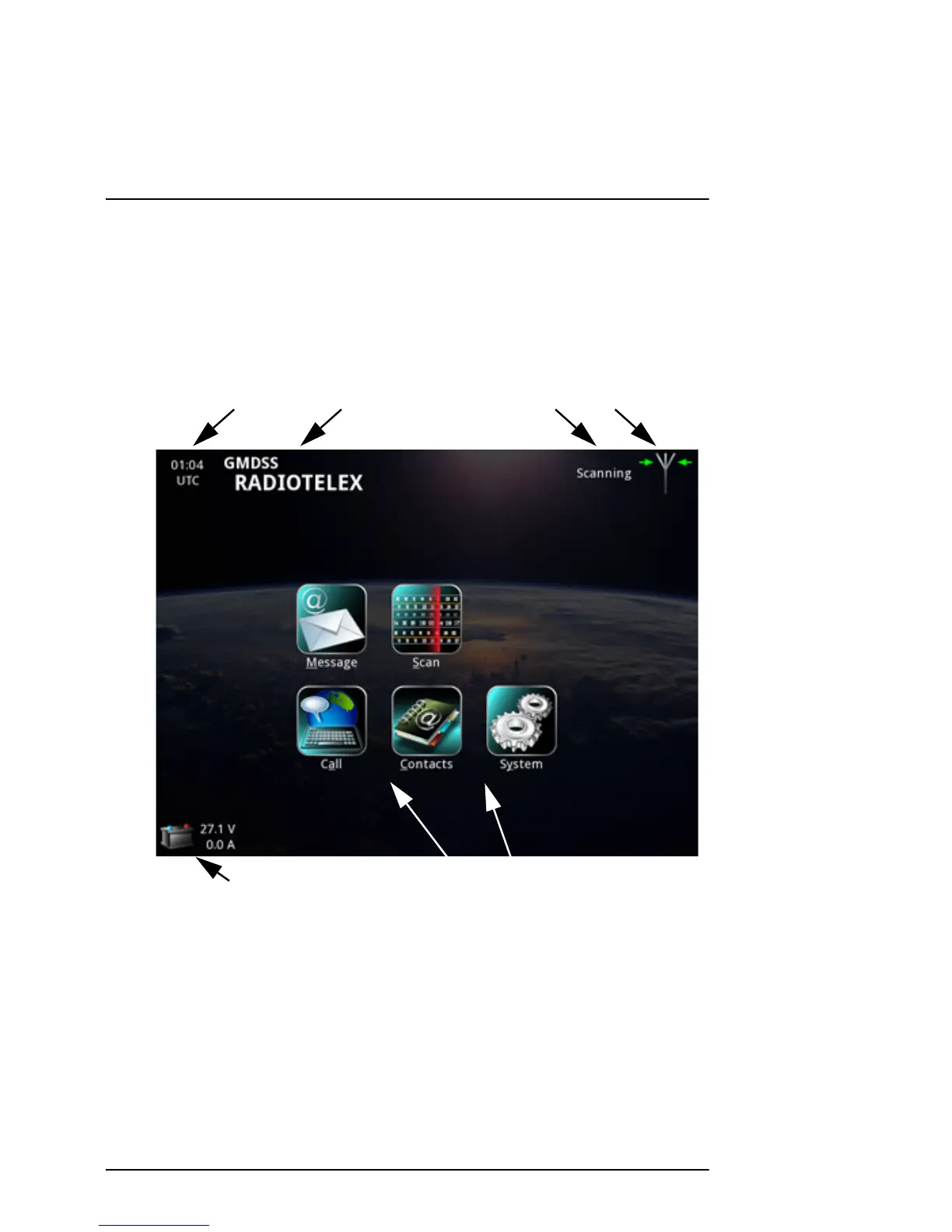
When the system is powered, the Message Terminal display shows the main
menu and a status field. Below is an overview of the main screen in the
SAILOR 6300 MF/HF Radiotelex.
• Time, UTC: The time of day, Universal Time Coordinated (received from the
GPS input of the MF/HF radio system).
• Name of current page: When you have entered a subpage, this field shows
the name of the page.
• Status field: This field shows a short status message next to the
Status/warning icon.



 To Next Page