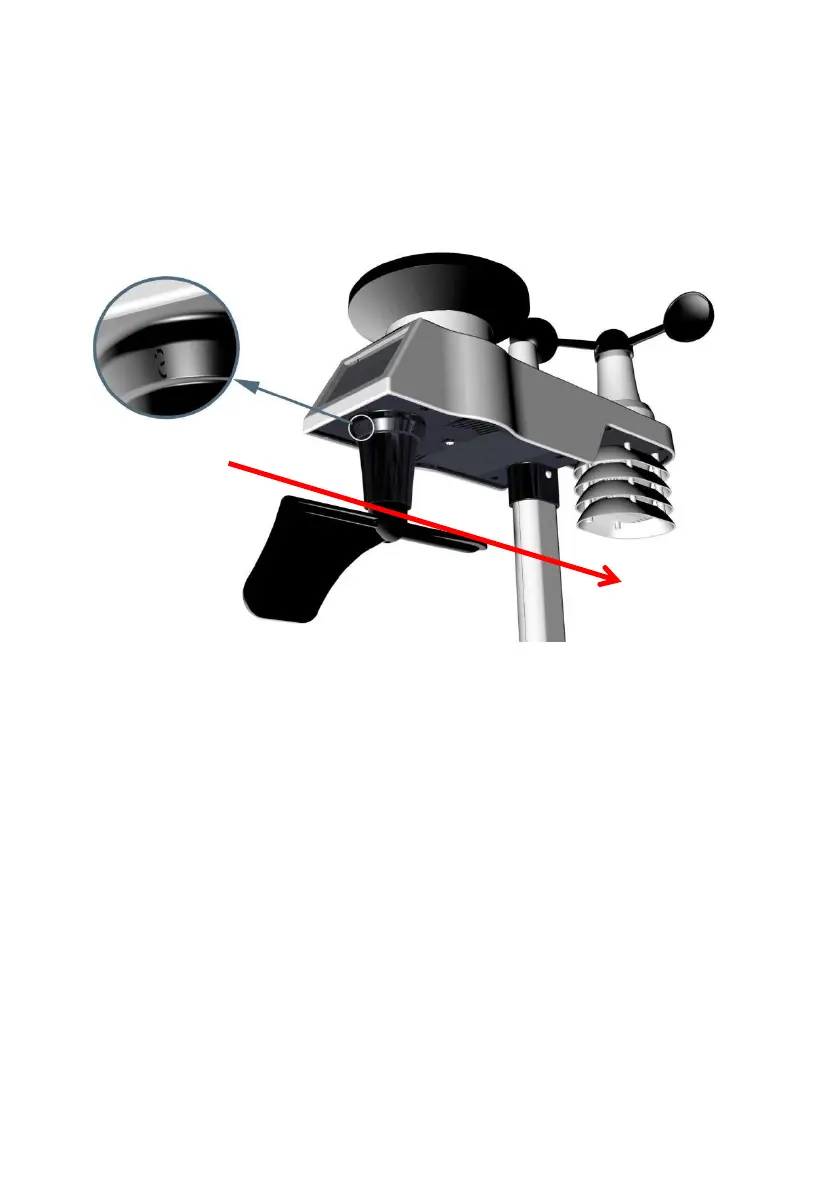
Step 1: There is a “S” indicator on the wind vane that indicates
South, as shown in Figure 13. Check the wind directions with
compass and Align this “S” marker in the direction of South.
Figure 13
Step 2: Console operation set to Northern Hemispheres( NOR
in the time area) in Location division. (Check the detailed step
of setting the time area in the part 15 of Chapter 7.2)
5.1.2 Southern Hemispheres (SOU) References.
For Southern Hemisphere installations, ignore the direction (N,
S, E, W), and face the solar panel to the North (and in a
sunny position) when it comes to install the Integrated outdoor
sensor, as show in figure 14.
Step 1: Install the Integrated outdoor transmitter and face the
solar panel to the North.



 To Next Page