ERT50 230v INSTRUCTION MANUAL
28
Pressing the SELECT key will save your changes and return
you to the Time of Day setting menu. You use exactly the
same procedure to alter time settings for weekends.
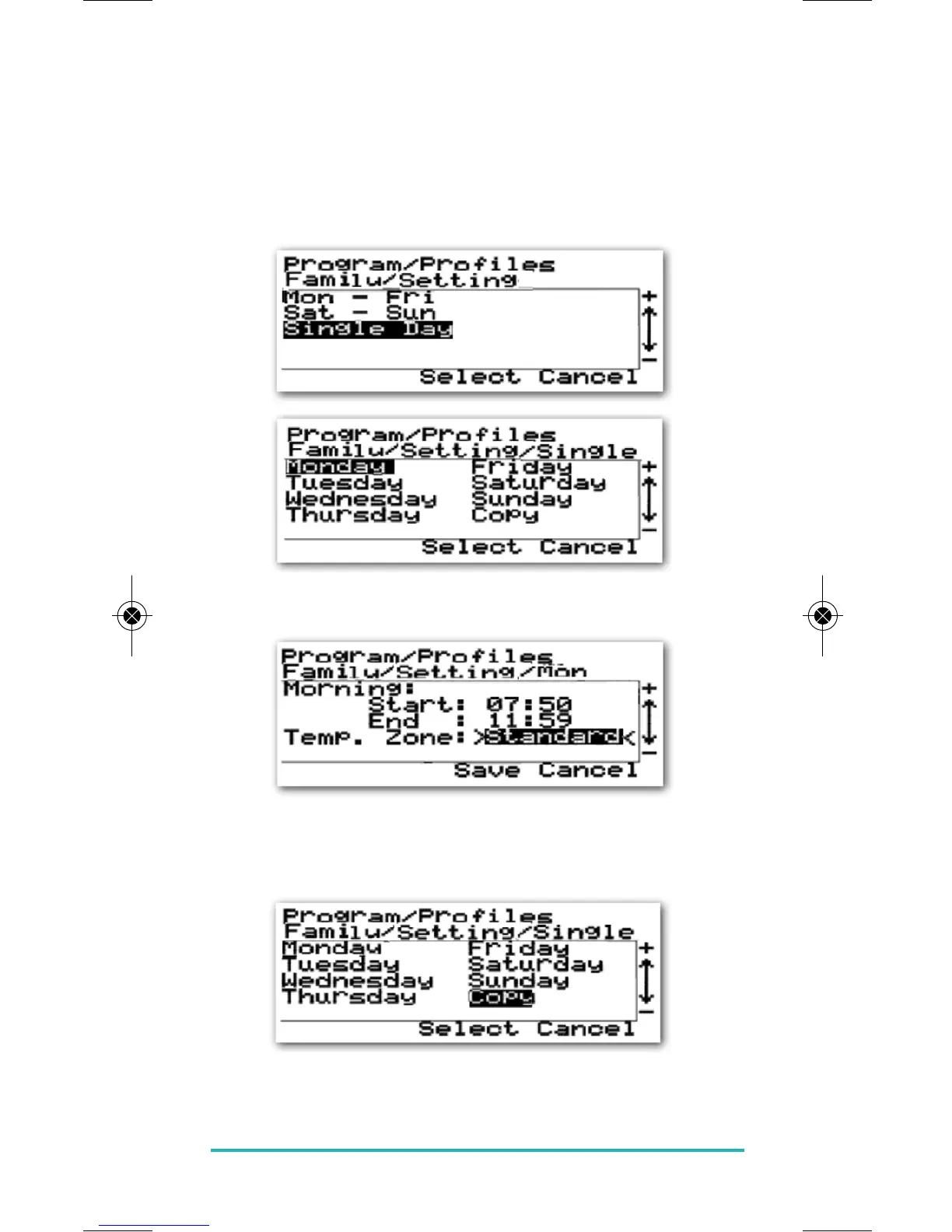
The procedure for setting times for a single day is basically
the same. Select Single Day from the Setting menu then
choose the Day you would like to programme.
Press the SELECT key on the highlighted day and change
the time settings as you did previously.
Once an individual day has been programmed, you can
copy the settings to other days very easily by using the
Copy menu item.
In this example, we will copy the settings we made earlier
for Monday, and copy them to Sunday.



 To Next Page