BOOST MENU
The BOOST menu allows the use of a temporary override mode which allows the user to override the
current programme settings and turn the heating and/or hot water on for a preset period. This mode
is activated by selecting the BOOST menu – this mode allows you to override the current programme
settings up to a maximum of 9 hours. The options available will differ slightly depending on whether
the controller is set for pumped (P) or gravity (G) operation.
Pumped Operation:
Central Heating Hot Water
c0 Heating override OFF h0 Hot Water override OFF
c1 – c9 Heating override active h1 – h9 Hot Water override active
for selected period for selected period
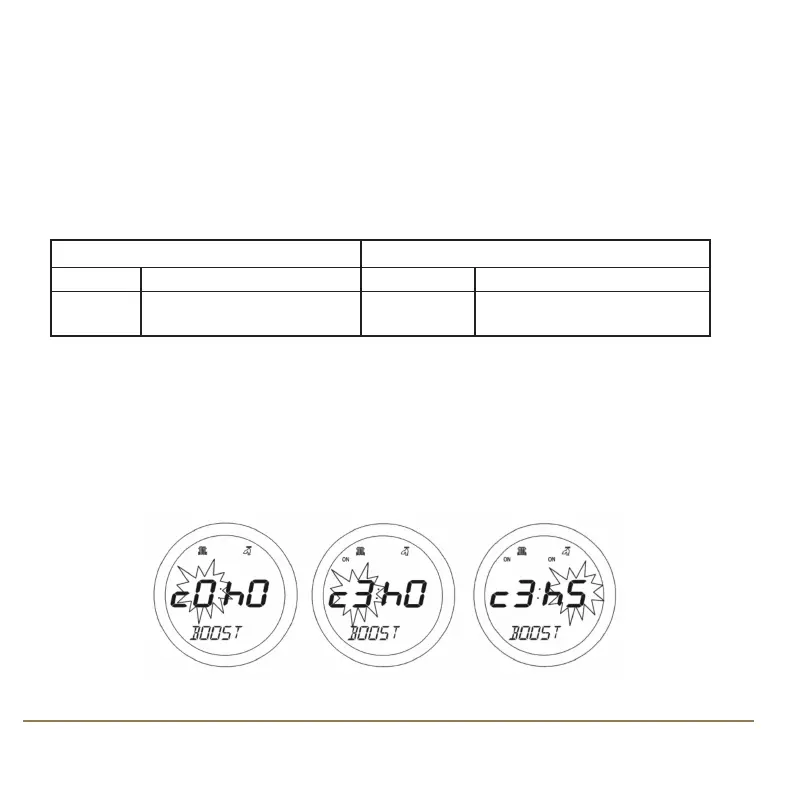
If the controller is set for Pumped operation, then central heating and hot water override settings
can be set independently.
Scroll through the setting by using the Touch Ring. Changing the settings will increase the duration
of the override by one hour, to a maximum duration of nine hours. Increasing the setting beyond this
level will roll the setting back to 0 and disable the temporary override. Confirm the heating setting
by pressing the OK key, and then change the hot water setting in the same way.
SP220 INSTRUCTION MANUAL10
SP220 Manual Ver 005.qxd:Layout 1 5/1/11 10:54 Page 10



 To Next Page