17SP220 INSTRUCTION MANUAL
HOLIDAY MENU
Entering the HOLIDAY menu allows you to turn on the holiday override mode of the SP220. The
HOLIDAY mode allows the user to override all the current Programme settings and turn off the
heating system between two dates entered by the user.
When the holiday start date arrives, the HOLIDAY indicator turns on and the HOLIDAY mode is
switched on. When the holiday end date is reached, the HOLIDAY mode will be turned off
automatically and the SP220 will operate in AUTO mode.
The HOLIDAY mode indicator will be displayed on all the HOLIDAY
menu screens.
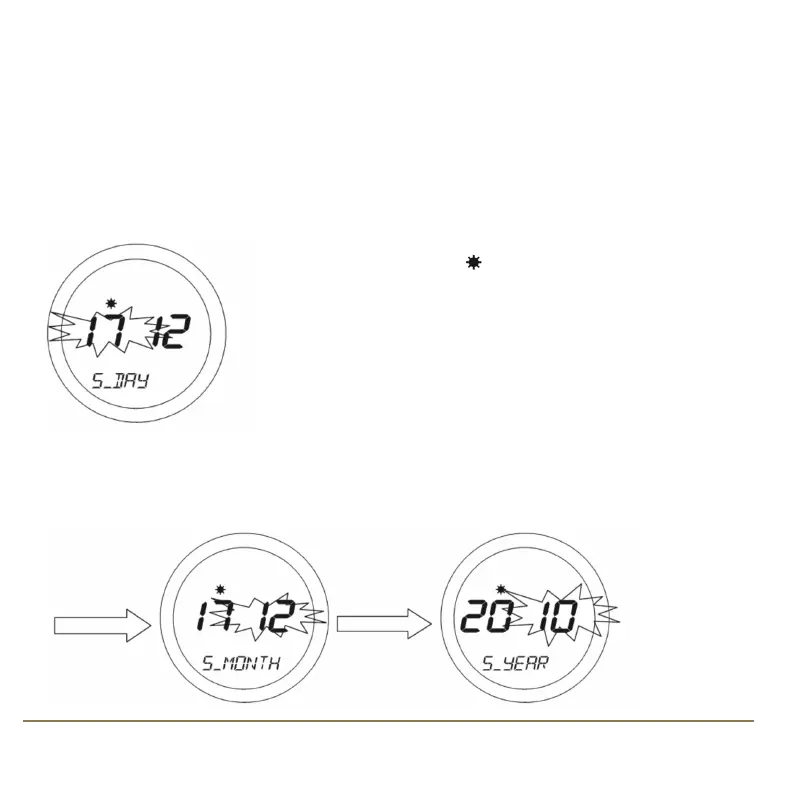
To start entering the Holiday Override settings, press the OK key once.
‘S-DAY’ will appear on the display. Use the Touch Ring to scroll to set the
date and confirm the choice using the OK button.
The month setting (‘S_MONTH’) will then be selected – change this setting in the same way using the
Touch Ring, and confirm the setting using the OK button. Finally, set the year (‘S_YEAR’) – this is
done in exactly the same way as previously described for the date and month.
SP220 Manual Ver 005.qxd:Layout 1 5/1/11 10:54 Page 17



 To Next Page