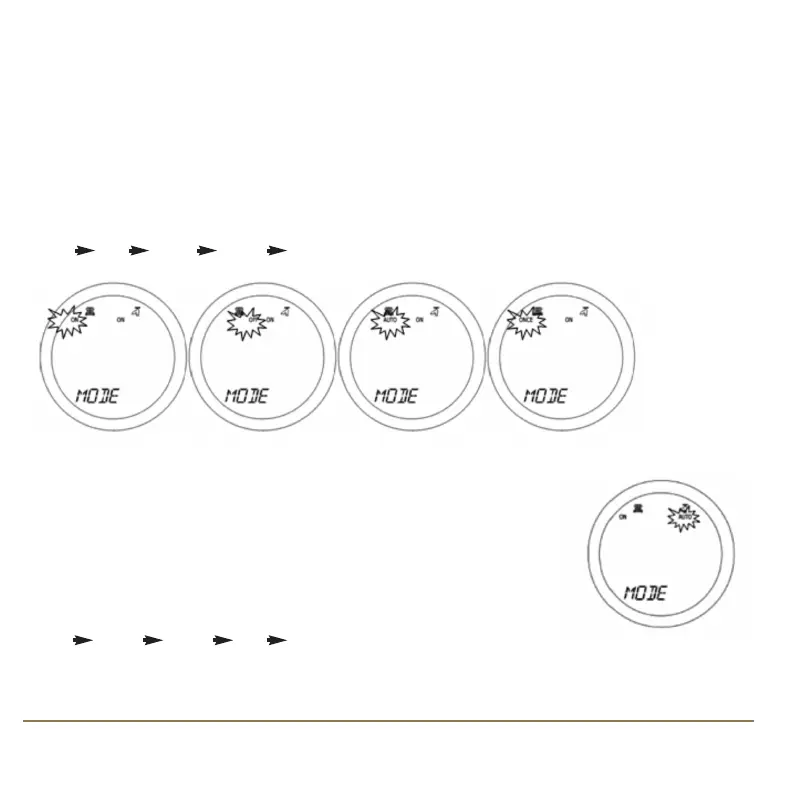
MODE SELECTION
The SP220 operating mode is selected with the controller in NORMAL mode by touching the Touch
Ring (but not the ARROW or OK keys). There are four operating modes for the controller:
ON, ONCE, AUTO and OFF
By default, the first modes displayed are for the central heating (CH) function. Each mode can be
selected when the controller is in NORMAL mode by scrolling the Touch Ring in an ANTICLOCKWISE
direction. This will cycle the operation mode as follows:
ON OFF AUTO ONCE ON
Each mode can be selected by pressing the OK key. After pressing the OK
key to return to NORMAL mode, scrolling the Touch Ring in a CLOCKWISE
direction will change to the hot water (HW) modes.
The mode indicator will change to indicate the selected operating mode
for heating and hot water. Each mode can be selected by scrolling the
Touch Ring. This will cycle the operation mode as follows:
ON ONCE AUTO OFF ON
15SP220 INSTRUCTION MANUAL
SP220 Manual Ver 005.qxd:Layout 1 5/1/11 10:54 Page 15



 To Next Page