PROGRAM MENU
The SP220 offers great versatility with its programming options, allowing the user to programme the
controller to operate on an individual, 5/2 or 7 day control cycle. The controller has a default set of
Programmes that have been designed to meet the needs of most users. If these default programmes
are not suitable for your particular situation, reprogramming the SP220 with your own settings is a
very straightforward operation.
To start programming the SP220, press the OK key twice when in NORMAL mode, and scroll using
the Scroll Ring to select the PROGRAM menu - press the OK key once more to start the programming
process.
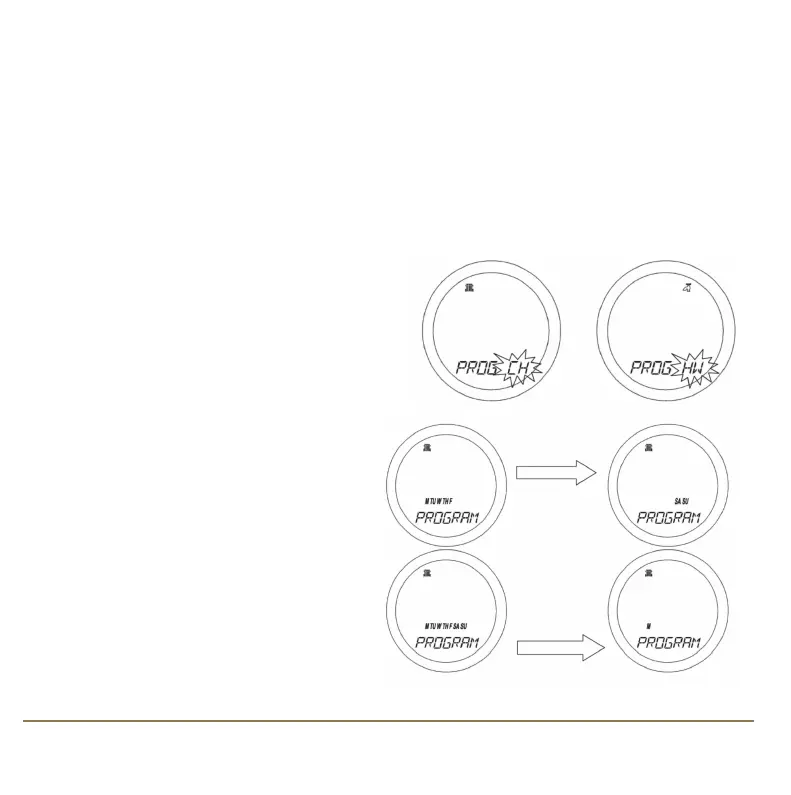
The initial programming screen will be displayed,
allowing you to choose whether to programme the
central heating or hot water. Scroll to select CH or
HW and confirm with the OK key.
Initially, the Weekdays will be selected and
flashing – you can scroll through all the
various options for day selection (Weekdays,
Weekend, 7 days, or individual days) by using
the Touch Ring. As usual, pressing the OK key
will select the desired option.
SP220 INSTRUCTION MANUAL12
SP220 Manual Ver 005.qxd:Layout 1 5/1/11 10:54 Page 12



 To Next Page