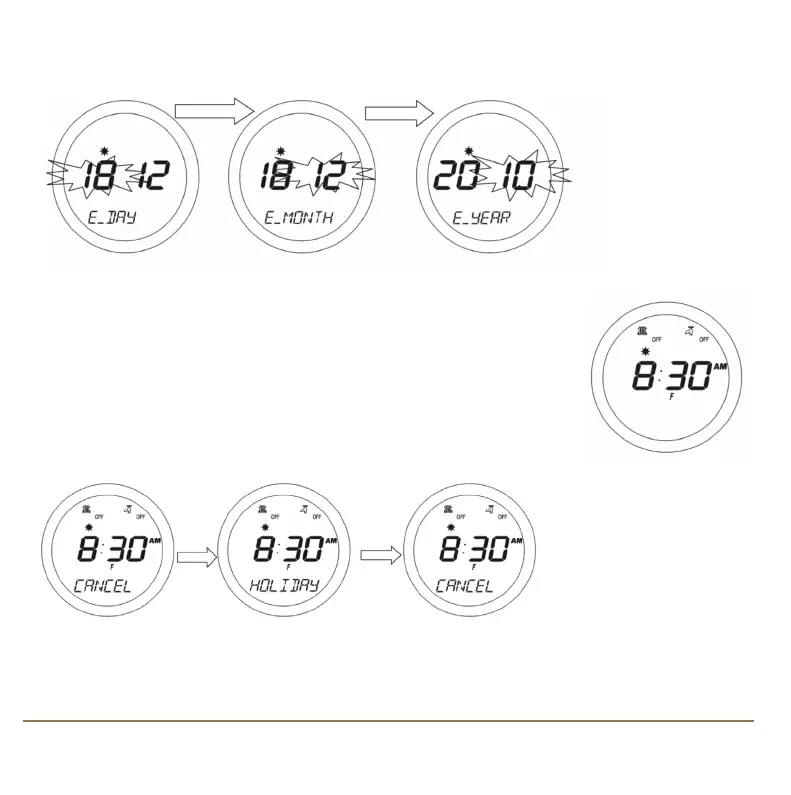
After confirming the year setting by pressing the OK key, the display will then change to display the
first screen for entering the holiday end date (‘E_DAY’, ‘E_MONTH’ and ‘E_YEAR’)
Use the Touch Ring to enter the date in exactly the same way as for the holiday start date. By default,
the HOLIDAY mode start and end dates are set to the current date.
Make sure that the end date is after the start date – if not, the HOLIDAY
mode will be disabled. Once HOLIDAY mode is enabled and active, the
display will look like this:
CANCELLING HOLIDAY MODE
When in HOLIDAY mode,
pressing OK key will
display CANCEL HOLIDAY
alternately as shown
below:
Pressing the OK key again will cancel HOLIDAY mode and return the SP220 to AUTO mode. Pressing
the Arrow key leaves the controller in HOLIDAY mode.
SP220 INSTRUCTION MANUAL18
SP220 Manual Ver 005.qxd:Layout 1 5/1/11 10:54 Page 18



 To Next Page