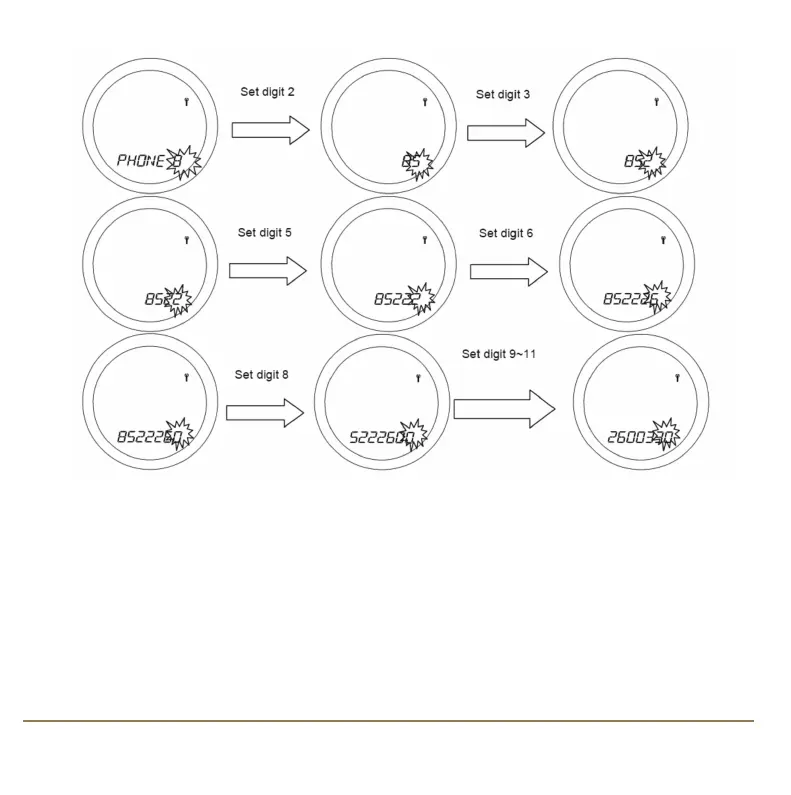
Repeat this action until you have entered the entire telephone number. After entering and
confirming the last digit, store the telephone number by pressing the OK key.
Once set as described, the SERVICE indicator will appear on the display 30 days before the set date,
and the status message will change in the sequence shown here:
23SP220 INSTRUCTION MANUAL
SP220 Manual Ver 005.qxd:Layout 1 5/1/11 10:54 Page 23



 To Next Page