Setting-up the C•control
9
C control 2-Track Line Outputs
The C control features three 2-track /Stereo outputs allowing you to connect the inputs of a variety of
recording devices such as DAT recorders, Open Reel Half-tracks, Cassette recorders or CD
players/burners. The signal that is assigned in the C controls Source section is always present at all
the 2-track outputs, and is always at full strength and not affected by the Control Room level knob. To
avoid feedback loop problems, be sure to match the 2-track outputs with the associated 2-track inputs.
In other words, if you connect your DAT recorder to the 2-track A inputs, be sure to connect 2-track A
outputs to the DAT recorder’s inputs. C control provides many inputs and outputs for connecting your
gear, so there are many ways the unit can be interfaced. The following section describes the 2-Track
outputs and how they can be used with equipment commonly found in a recording studio. There is also
a “Typical Set-up” diagram on page 15 of this manual and a wiring guide on page 17 to help you
choose the correct cables for your set-up.
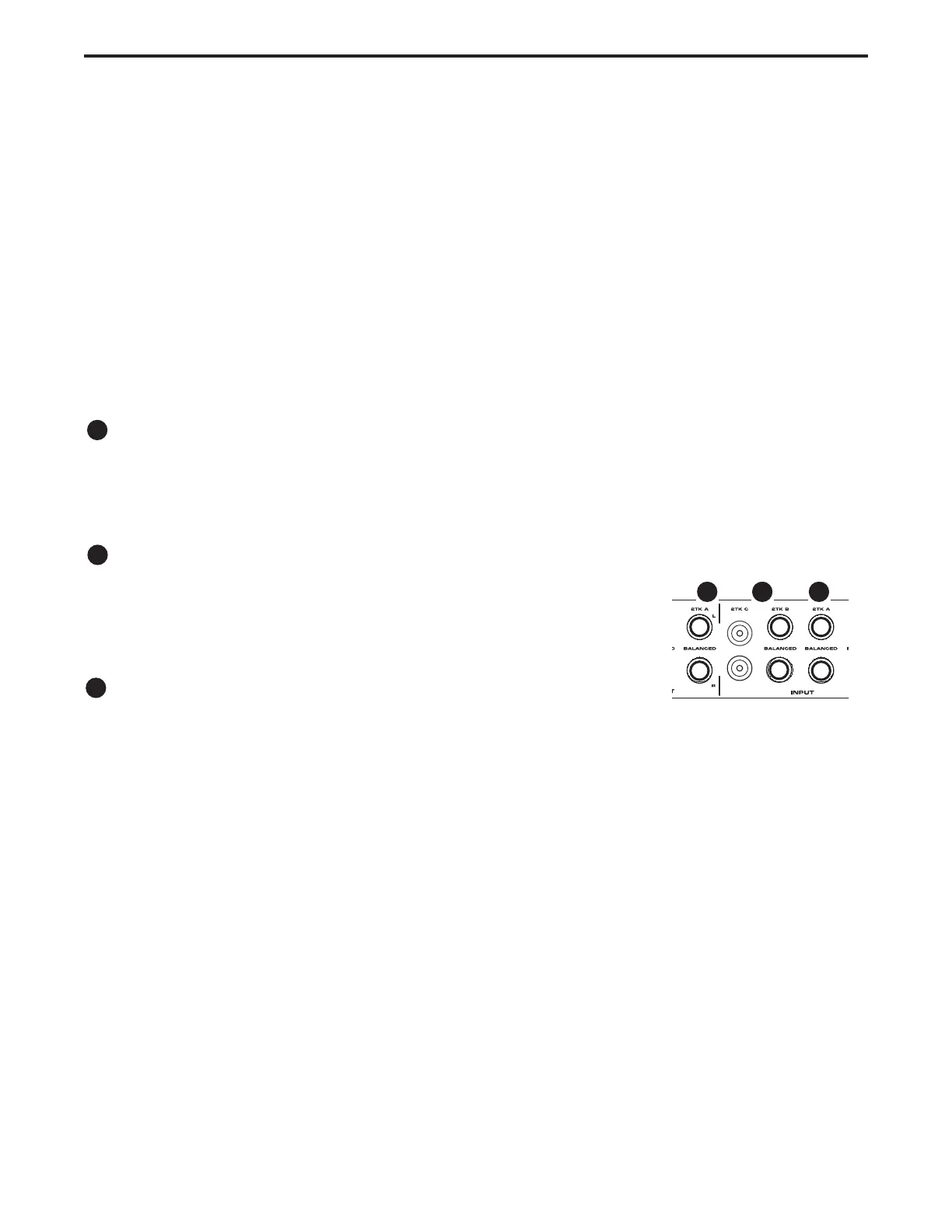
2-track A Outputs
The 2-Track A outputs are balanced, 1/4-inch, TRS (Tip/ Ring/ Sleeve) phone connectors which output
a +4dB line level signal. You can interface a professional DAT machine, Open Reel Half-track or CD
burner here.
2-track B Outputs
The outputs labeled 2-Track B are balanced, 1/4 inch, TRS(Tip/Ring/Sleeve)
connectors which output +4dB line level signal. You can use these outputs to
connect the inputs of a consumer cassette or CD recorder here.
2-track C Outputs
The 2-Track C inputs are unbalanced, RCA connectors which accept -10dB
line level sources. You can use these outputs to connect the inputs of a con-
sumer cassette or CD recorder here.
Connecting Line Level Speaker Outputs
The C control provides three sets of line level outputs for connecting up to three pairs of studio moni-
tors. The Speakers outputs are selected from the front panel speaker selection switches. Speaker
Outputs A and B are switched and are typically used to switch between a pair of near-field and far or
mid-field monitors. Speaker Output C/Sub can be independently turned on or off, so it is ideal for con-
necting a sub woofer that you may want to turn on for a big “hyped club” sound, but turn off for critical
mixing. There is more information on the speaker switching feature in the section “Operating C control”
following later in this manual. There is also a “Typical Set-up” diagram on page 15 of this manual and a
wiring guide on page 17 to help you choose the correct cables for your set-up.
5
6
7
567


 To Next Page