2 Section 1A. Setting Up Service
Section 1A
Setting Up Service
⽧ Setting Up Your Device
⽧ Getting Started With Sprint Service
⽧ Setting Up Your Voicemail
⽧ Sprint Account Passwords
⽧ Getting Help
Setting up service on your new device is quick and easy. This
section walks you through the necessary steps to set
up, turn on, and unlock your device; set up your
voicemail; establish passwords; and contact Sprint for
assistance with your Sprint service.
Setting Up Your Device
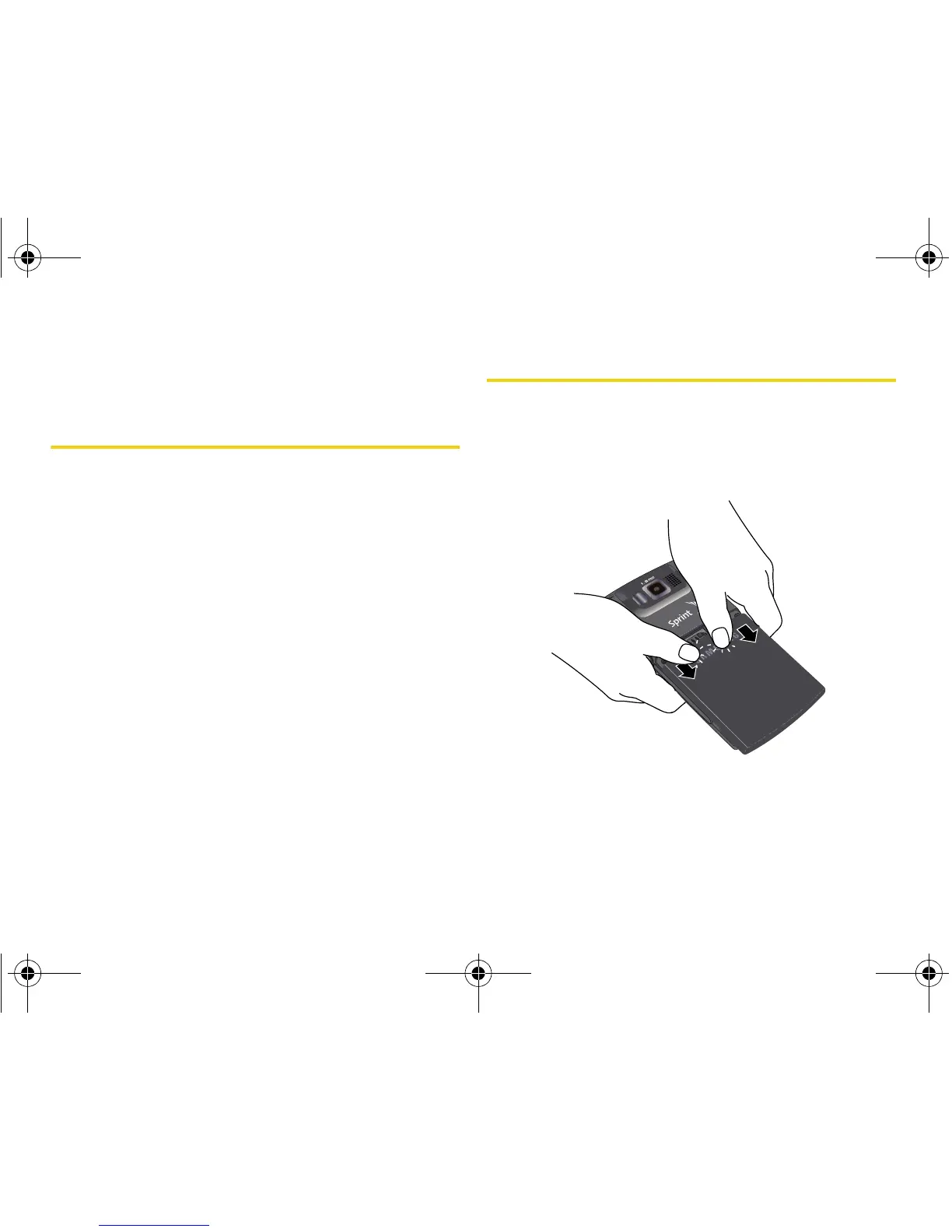
1. Remove the battery cover.
䡲 Press down with thumbs as indicated below.
䡲 While applying pressure, slide cover away from
the camera lens (as shown below).
I325.book Page 2 Tuesday, December 11, 2007 11:23 AM














 To Next Page