142 Section 2L. Synchronizing with ActiveSync
4.
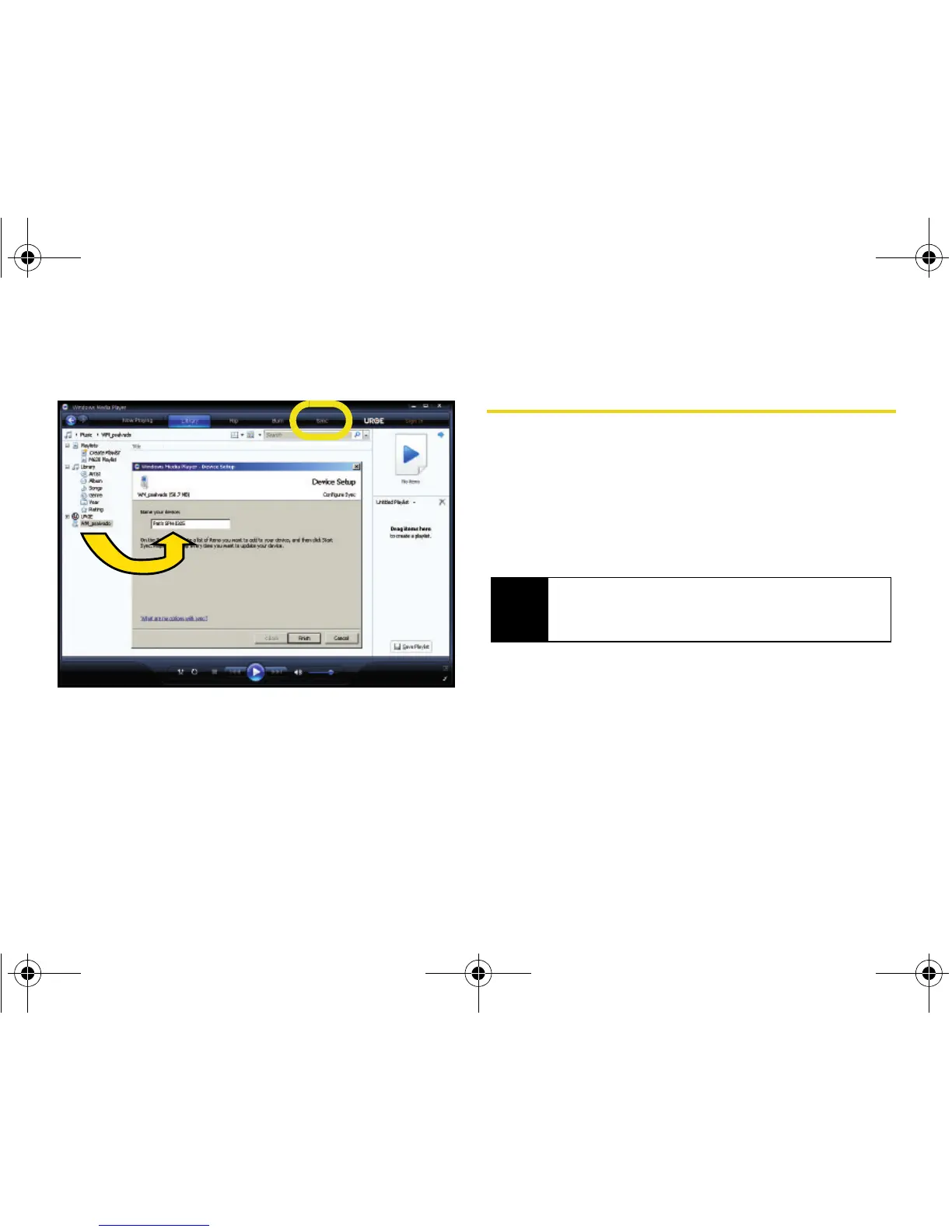
Click on the Sync tab to launch the partnership
process.
䡲 If the Device Setup screen (shown above) does
not appear, right-click on the phone icon (left
pane) and select
Setup Sync...
5. Enter a new name for the device (as it will appear
within the Windows Media Player’s left pane) and
click
Finish.
Synching Music via Windows Media
Player
1. Click on any of the available library categories
(such as Artist, Album, or Songs) to display a list of
all current music files detected by Windows Media
Player.
䡲 For the purpose of this section, Artist has been
selected.
2. Select a song and drag it to the Sync List section
of the application (right pane). (The available
memory indicator will change depending on the
size of the selected song.)
Note
Songs that are copy-protected (DRM protection) will
not be transferred and can result in a transfer error
message.
I325.book Page 142 Tuesday, December 11, 2007 11:23 AM














 To Next Page