166 Section 3D. Sprint Worldwide Wireless Service
Removing Your SIM Card
The SIM card comes preinstalled but can be removed
if necessary.
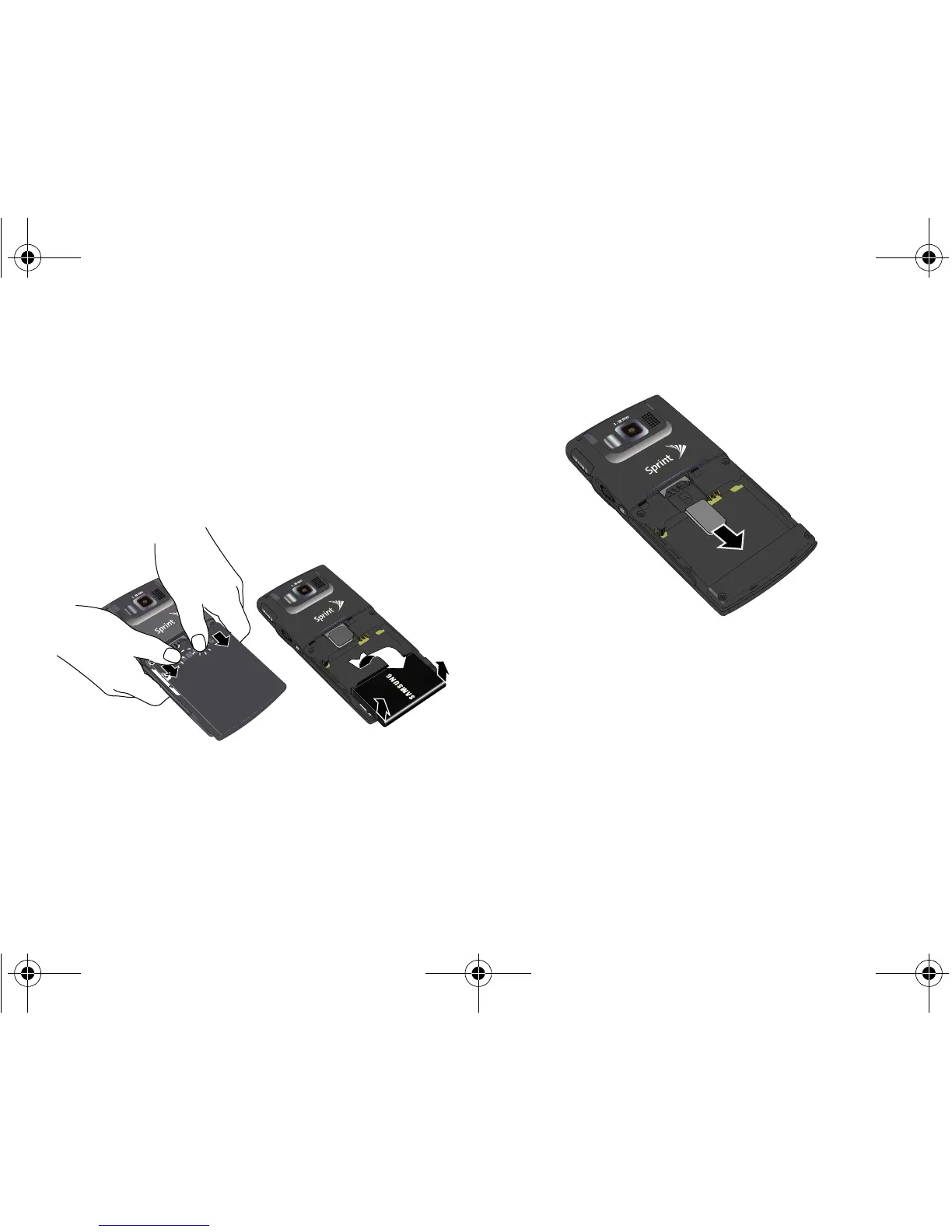
1. Remove the battery cover.
䡲 Press down with thumbs as indicated below.
䡲 While applying pressure, slide cover away from
the camera lens (as shown below).
2. Remove the battery to gain access to the SIM card
slot.
3. Carefully remove the SIM card from the slot (shown
below).
4. Reinstall the battery.
䡲 Insert the battery into the opening on the back of
the device, making sure the connectors align.
Gently press down to secure the battery.
䡲 Position the battery cover and firmly slide it in until
you hear a click.
I325.book Page 166 Tuesday, December 11, 2007 11:23 AM














 To Next Page