Device Basics
Section 2A. Device Basics 25
For a quick check of your device’s battery level, glance
at the battery charge indicator located in the upper-
right corner of your device’s display screen. If the
battery charge is getting too low, the battery icon
( )blinks and the device sounds a warning tone.
Always use a Sprint-approved or Samsung-approved
desktop charger, travel charger, or vehicle power
adapter to charge your battery. Included in the
packaging is a non-charging USB cable used for data
transfer.
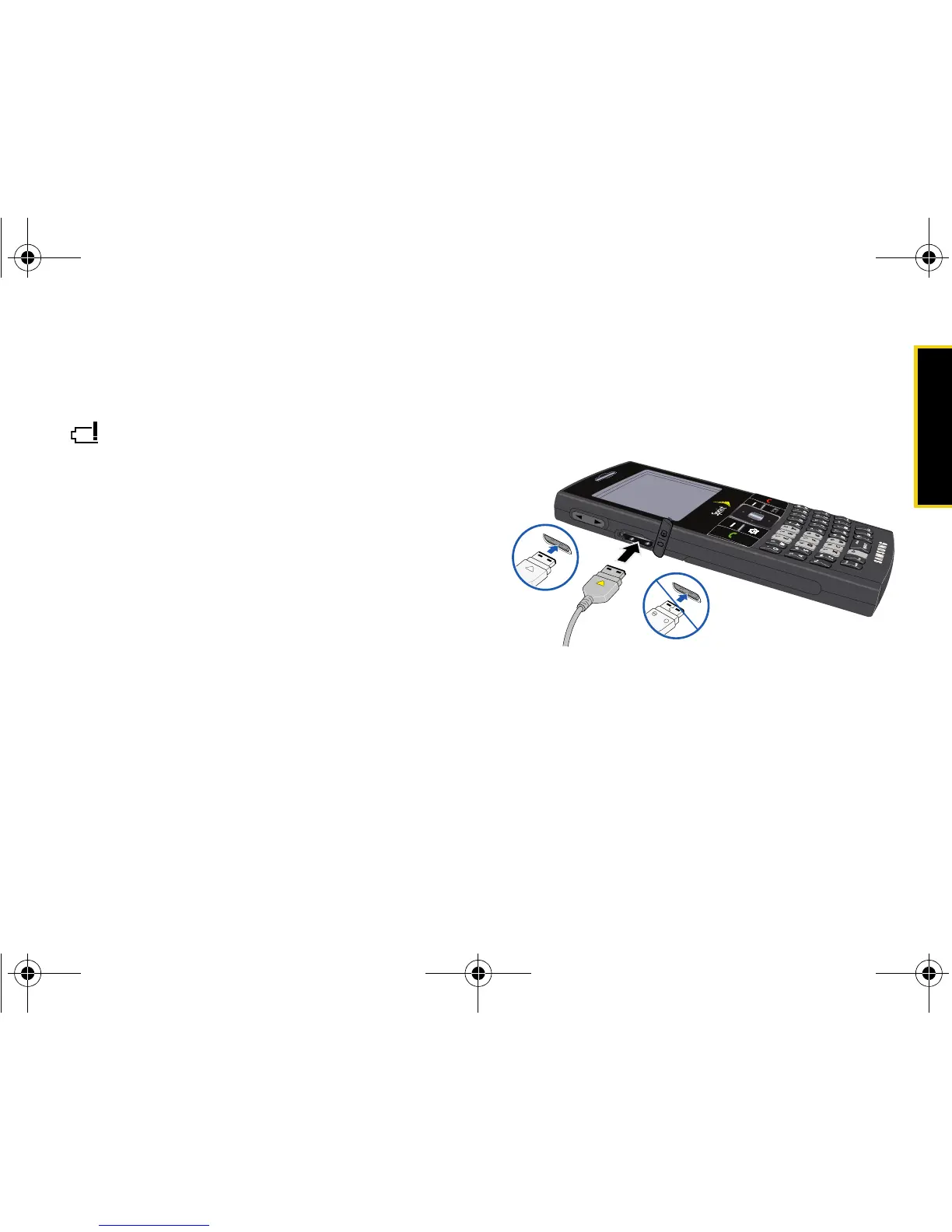
Using the Charger
䊳 Plug the flat end of the charger into the device’s
power/accessory interface connector and the
other end into an electrical outlet.
With the Sprint-approved Li-Ion battery, you can
recharge the battery before it becomes completely run
down.














 To Next Page