English - 23
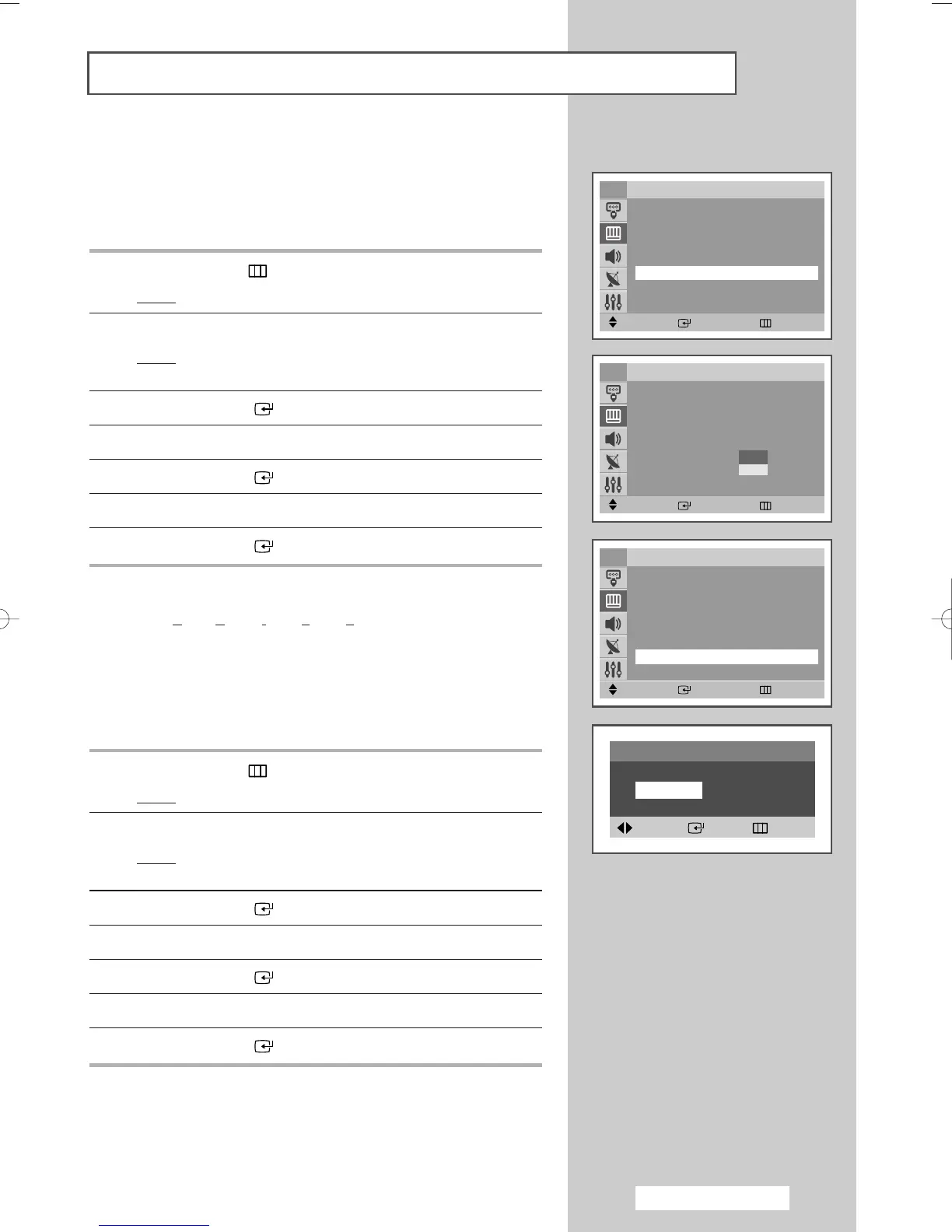
◆ Digital NR
If the signal received by your television is weak, you can activate
this feature to reduce any static and ghosting that may appear on
the screen.
1 Press the MENU () button.
Result
: The main menu is displayed.
2 Press the ▲ or ▼ button to select Picture.
Result
: The options available in the
Picture group are
displayed.
3 Press the ENTER ()button.
4 Press the ▲ or ▼ button to select Digital NR.
5 Press the ENTER ()button.
6 Press the ▲ or ▼ button to select On.
7 Press the ENTER ()button.
◆ DNIe Jr
(Digital Natural Image engine Junior) (Option)
This feature bring you more detailed image with detail
enhancement, contrast enhancement and white enhancement.
New image compensation Algorithm gives brighter, clearer,
much detailed image to you.
DNIe Jr technology will fit every
signals into your eyes.
1 Press the MENU () button.
Result
: The main menu is displayed.
2 Press the ▲ or ▼ button to select Picture.
Result
: The options available in the
Picture group are
displayed.
3 Press the ENTER ()button.
4 Press the ▲ or ▼ button to select DNIe Jr.
5 Press the ENTER ()button.
6 Press the œ or √ button to select On.
7 Press the ENTER ()button.
Extra Picture Settings
Move Enter Return
Picture
Mode : Dynamic
√√
Custom
√√
Color Tone : Normal
√√
Size : Normal
√√
Digital NR : Off
√√
DNIe Jr : On
√√
PIP
√√
TV
Move Enter Return
Picture
Mode : Dynamic
√√
Custom
√√
Color Tone : Normal
√√
Size : Normal
√√
Digital NR : Off
√√
DNIe Jr : Off
√√
PIP
√√
TV
Move Enter Return
Picture
Mode : Dynamic
√√
Custom
√√
Color Tone : Normal
√√
Size : Normal
√√
Digital NR : Off
√√
DNIe Jr : On
√√
PIP
√√
TV
Off
On
DNIe Jr
On Off
Adjust Enter Return
AA68-03701A-00Eng 7/19/05 3:44 PM Page 23








 To Next Page